
Install WordPress plugin 
Install the SpreadsheetConverter Calculator plugin in WordPress.
Install the WordPress plugin 
The free SpreadsheetConverter Calculator plugin shows calculators that you made with the SpreadsheetConverter add-in in Excel on your WordPress pages. This page covers the installation. The whole process, from Excel to a published page, is in the WordPress guide.
Requirements 
- WordPress 6.5 or later, where you can install plugins
- the SpreadsheetConverter add-in in Excel on your desktop or in Excel for the web
Install the plugin 
-
In the WordPress dashboard, go to Plugins → Add Plugin.
-
In Search Plugins, type
SpreadsheetConverter. -
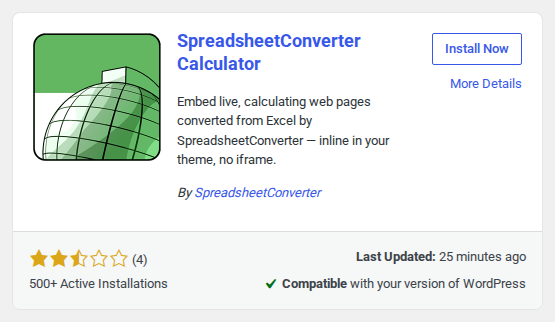
On SpreadsheetConverter Calculator, click Install Now, then Activate.
-
Check the version: go to Plugins → Installed Plugins. SpreadsheetConverter Calculator should show Version 12.2.1 or later. If it shows an older version, click update now under it, or go to Dashboard → Updates and click Check again.

The plugin does not add a menu to the dashboard. You use it inside the page you are editing, as a block or a shortcode. Requirements: WordPress 6.5 or later, PHP 7.4 or later.
Install the add-in in Excel 
-
Start Excel and open any workbook. Excel on your desktop (Windows or Mac) works, and so does Excel for the web at excel.cloud.microsoft, which is free with a Microsoft account.
-
On the Home ribbon, click Add-ins.
-
In the search box, type
spreadsheetconverter(one word) and click Add next to SpreadsheetConverter. -
In the Microsoft permission dialog (publisher Framtidsforum I&M AB), click Accept.
-
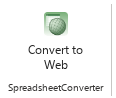
Within about 30 seconds a Convert to Web button appears on the ribbon, in a SpreadsheetConverter group. If you can't see it, look under … (More) at the right end of the ribbon.
The add-in belongs to your Microsoft account, so it is then available in both desktop Excel and Excel for the web. More about installing
Next: add the calculator to a page.