
SpreadsheetConverter v12
- Easy install from the Microsoft Marketplace, from within Excel. Search for SpreadsheetConverter in Excel’s Add-ins store and click Add — no downloads, no manifest files. See the install page.
- Excel on the web is supported.
- In-place refresh when a newer version is available — no need to download updates.
- Modern page renderer. A new renderer is now the default, with Classic retained as an option. It brings updated controls and wizard presentation, accessibility labels, and integration with SpreadsheetConverter Server.
- Publishing and embedding. The add-in supports authenticated publishing to SpreadsheetConverter Server and choosing which page opens afterwards. Server-hosted forms can be embedded inline on external websites, including WordPress.
- Data-table workflows. Mark ranges as data tables, name them, and choose embedded data or supported server-backed modes. This is a new way to package and connect the tabular data your calculations use.
Install for Excel · What’s new in v12 · Help
Version 12 is offered as a monthly or yearly subscription, billed by builder. SpreadsheetConverter Server hosting, submit and records are included. See current subscription plans.
Build web apps or app prototypes with a native look-and-feel for iPhone and Android smartphones. Provide powerful mobile data entry. Build iPhone and Android calculators that work even when the phone is offline.
Developing native smartphone web apps for Android and iPhone is difficult, time-consuming and expensive. It’s not always the most profitable solution. Perhaps you want to start by making a simple prototype just to test the idea. Maybe show a mock-up of the web app to customers to see how they like it. Or perhaps your needs aren’t really more complicated than what you can handle in a qualified spreadsheet with some nice formatting?
You can design your web apps in Excel and compile them for iPhone so that they look like native iOS applications. You can empower your workforce with tailor-made calculators, spreadsheets and mobile data entry forms on Android devices – all made from Excel spreadsheets.
A spreadsheet in Excel …
If you use an Excel spreadsheet to create an Android or iPhone web app, the app uses the same formulas as in the spreadsheet. Everything in the app is updated automatically when values are changed. Our mobile calculators always work, even when the phone is offline. No programming required!
Example: a calculating web app for car loans
To test our Car Loan web app in your own phone, scan the QR code below.
If you’re uncomfortable doing that, read our tutorial about scanning QR codes.

I can complete my entire evaluation report right here with my iPhone, on site and on time.
Mobile data entry
In the old days, he went out to evaluate each building with a notepad, making his notes with a pen. Then he had to return to the office to type the same information again into the finished evaluation report.
Thanks to SpreadsheetConverter iPhone/Android, he can now enter his notes directly into a smart form on his iPhone. When he’s done at a site, he sends the complete evaluation report for processing just by clicking a button. With a smartphone like this, he doesn’t need a heavy laptop.

I can find the perfect printer for her without having to fetch a thick binder.
Product selection
Confused by endless product variations? Enter your requirements into this handy product selection tool and it will reduce the number of choices drastically.
SpreadsheetConverter iPhone/Android lets you provide a simple user interface to complex selection criteria. Whether you express your requirements in technical or business terms, the spreadsheet behind the mobile selection tool knows what product to recommend.

I can give him an instant quote for 200 customized rubber tubes right here in the coffee shop.
Product configuration
Is your customer considering a customizable product? Does your customer have non-standard requirements? Give him an instant quote for any variation, right there while you’re having coffee.
Enter your product’s customization rules and prices into an ordinary spreadsheet, run it through SpreadsheetConverter iPhone/Android, and download a powerful quote machine to your Android or iPhone smartphone. No programming needed!

I can update my online seed order without leaving my garden.
Wish lists and order forms
She knows what she wants and she wants to order it now. Are you there to take her order, right there in the garden?

I will use the ROI calculator in my smartphone to convince this stubborn customer.
Business calculation
Running out of sales arguments? Ever dreamt of having a ball-park return-on-investment calculator in your hand? Now you can build it yourself, without programmers or consultants.
Just use your ordinary Excel skills to develop the ROI calculator in a spreadsheet. Run it through SpreadsheetConverter iPhone/Android and your calculator is ported to the right format for your smartphone.

I have a mortgage calculator in my smartphone. Nobody fools me with a bad interest rate.
Financial calculation
In the financial world, decisions have to be taken fast. There’s no time to open your laptop. You need to be able to evaluate a mortgage quote right there on the spot.
Create a tailor-made mortgage calculator for your smartphone in Excel. SpreadsheetConverter iPhone/Android makes sure it works for almost all brands of smartphones.

I can get the power and cooling figures right now, while he gets his car.
Technical calculation
Great, the customer is buying your latest, most amazing rack of web servers. But how much cooling does it require?
Build a power and cooling calculator in Excel and let SpreadsheetConverter iPhone/Android convert it to a mobile format. Enter your numbers and know your BTUs and kilowatts immediately!
Create beautiful web apps for iPhone and Android
The screenshot is from a mobile web app that was directly converted from an Excel spreadsheet. The app calculates the monthly payments for a car loan depending on time and interest. It also shows you the total interest paid for the loan. For us, it also demonstrates some of our popular web widgets and the powerful “hide rows” feature.
To test the Car Loan calculator in your own phone, scan the QR code below.
If you’re uncomfortable doing that, read our tutorial about scanning QR codes.
Build powerful web apps from Excel prototypes
What are web apps?
The term “web application” or web app is commonly used for any advanced web page which uses HTML5 to work like a standalone software application. HTML5 allows applications to load as web pages but store data locally and work while offline.
There are several ways to build apps for smartphones.
- Any web app loaded into a smartphone web browser can be saved in the device, with an icon on the home screen, using the Add to home screen function on both iOS and Android. Users can start the web app directly without downloading, just like any other app on the phone, assisted by the web browser.
- Native IOS and Android apps require programming to run directly on the mobile device, without the help a web browser.
What does SpreadsheetConverter do?
SpreadsheetConverter generates web pages that can be embedded inside a native app. The embedding or wrapping is done by third-party services like AppsGeyser. To learn more, please read our tutorial about building Android apps with Excel, SpreadsheetConverter and AppsGeyser.
What’s it worth, to you?
There is no simpler way to build an extremely powerful web app than this. Just create the calculator or electronic form you need with Excel and let SpreadsheetConverter iPhone/Android convert it into web pages with full support for iPhone and Android touchscreens. Asking the user for a number? Show the number pad. Make life simpler for the user.
If your requirements change, you just edit the spreadsheet, run the conversion to HTML and publish the new version on the web.
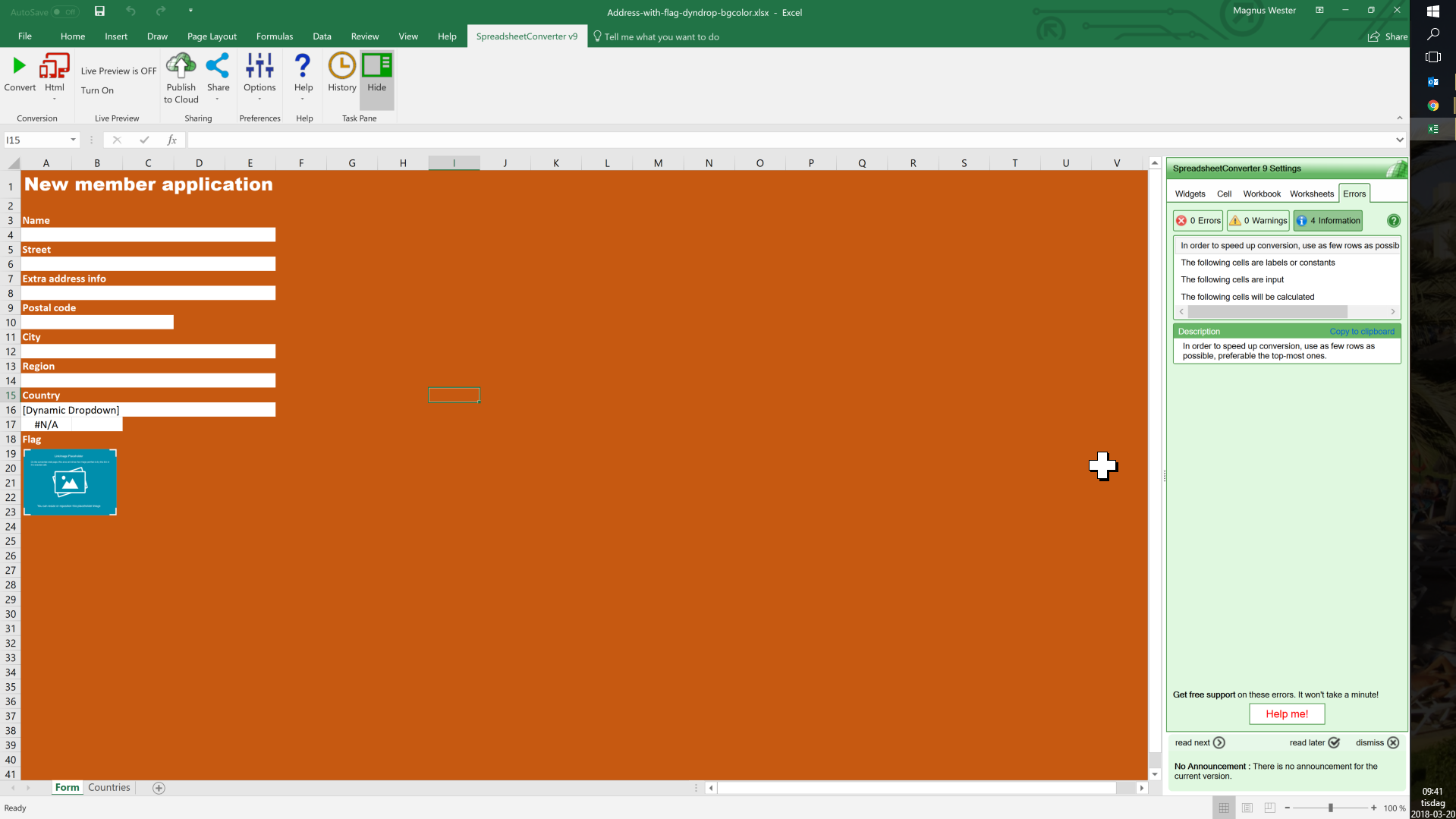
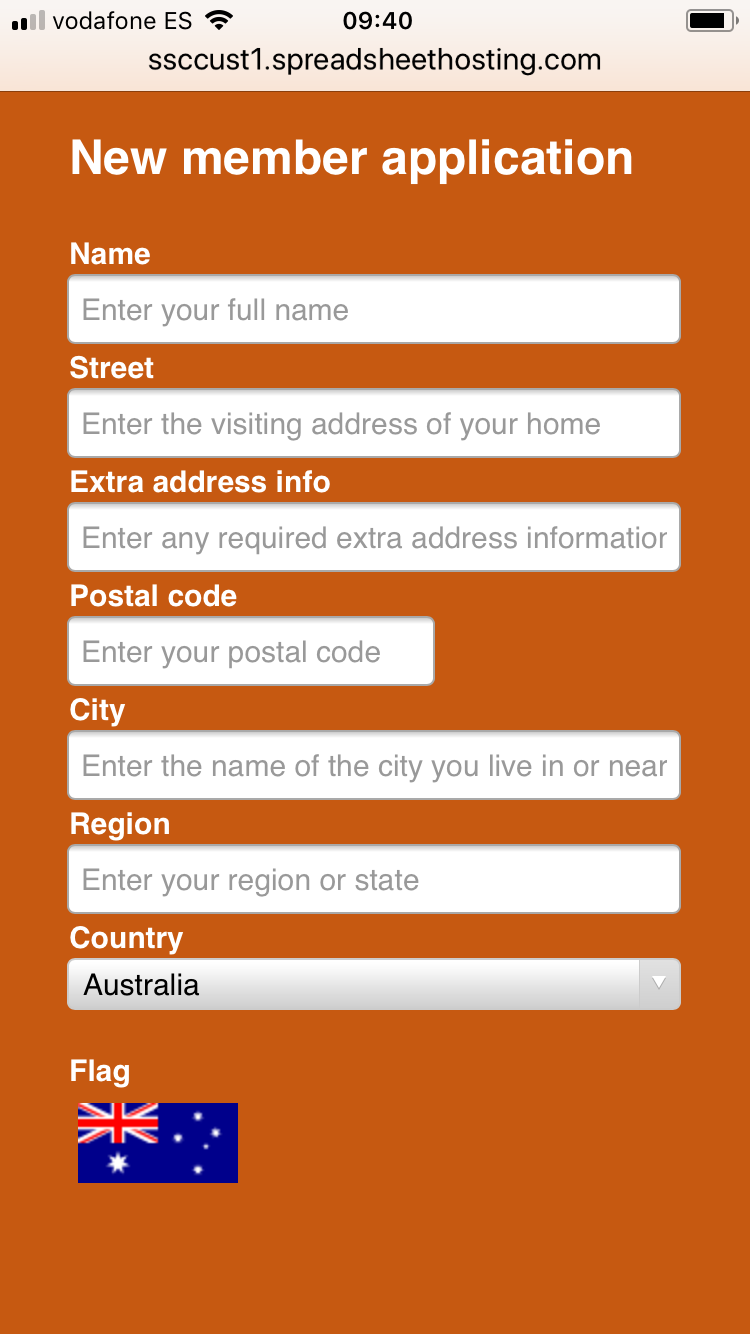
This photo shows a web app with a “new member” registration form. As you can see, the developer is using Excel to design the form and a Sony Xperia smartphone to preview it. Everything works just like in Excel. The formulas and Excel functions you use to calculate values are all live in the web app. You can design the layout as you like with Excel’s formatting options. Everything you do in Excel comes across to the web app.
Example library
To see more examples of what SpreadsheetConverter iPhone/Android can do for you, scan the QR code below with your phone to open the iPhone/Android online example page in the phone.
Please do not test smartphone calculators with your desktop browser. The iPhone/Android calculators are optimized for the phone’s small and narrow screen in portrait mode and do not fit a wide screen.
To see more of what SpreadsheetConverter iPhone/Android can do for you, click here for a list of online examples.
Features and benefits
SpreadsheetConverter is the perfect tool for creating calculating web apps that attract attention.
- Fully compatible with iPhone and Android: Your spreadsheets run as web apps on any mobile device. Users can save the app to their Home screen. When the app is stable, embed it and it runs as a native app.
- Helps the user master the small device: utilizes the touch screen optimally for each input field. Shows a numeric keypad for a numeric field, or an e-mail-optimized keyboard when typing e-mail addresses. Graphical widgets like dropdown and file attachment make full use of the touch screen. Long menus fold into the familiar “hamburger” and there is no sideways scrolling.
- Instantaneous response: All calculations and validations are done immediately when the user enters new data. Everything is done in the app. No communication with a web server.
- Everything is live and interacting with your visitors: The calculator or form updates dynamically when values are changed. Even the charts are live and allow users to focus on the data they are most interested in. Use calendars to select dates and sliders to vary data in real-time. Create forms with drop-down menus, check-boxes, radio buttons, large text fields or list boxes in a breeze. Design step-by-step wizards for complex forms.
- It looks just like an app: Normally, it takes a lot of time to make a web app look this well-designed. With Excel, you just format the page the way you like. SpreadsheetConverter creates a web app that looks the same: borders, colors, fonts, checkboxes, dropdown lists etc work as they should, and numbers are formatted on the fly with decimals, thousand separators and currency symbols. Conditional formatting makes the most important numbers stand out. Design colorful themes the give your apps a common look.
- Integrates with existing systems in many ways, e.g. sends data with barcodes, http or e-mail; receives data via http.
- Two or more team members can share the same spreadsheet: your users can collaborate with colleagues in real-time directly inside the app.
- The Link Image widget allows you to show different images in the app depending on cell values or formulas. Now you can build advanced imaging applications where an image on the screen changes with the values in the web app.
- Users can include up to ten files with any form they submit. Job applicants can include their CV, and expense reports can include scanned copies of receipts.
- It’s so easy to change: Business rules frequently change, e.g. new prices, new discount options, new regulations etc. With hand-crafted apps, it’s hard to keep up with the frequent changes. With SpreadsheetConverter, you just change the spreadsheet and regenerate the app.
- You get the source code: The web app is completely self-contained. There are no library files or other external requirements.
- Excel isn’t needed: Once the web app is created, Excel is not required. Your web server doesn’t need Excel, and your users don’t need Excel. Even if Excel is all around, not all employees have it, and private persons seldom have it.
Fast, stable and secure
Live, calculating web pages like these are very expensive to develop by hand with all the programming, testing and debugging that takes a lot of time even for a specialist.
By developing your expense report, order form or shipping calculator in Excel, you save a lot of time already at the design stage. Your calculator works and can be tested even before we turn it into a web page for you.
The converter turns the spreadsheet formulas into blocks of standard program code that have been meticulously tested by thousands of users.
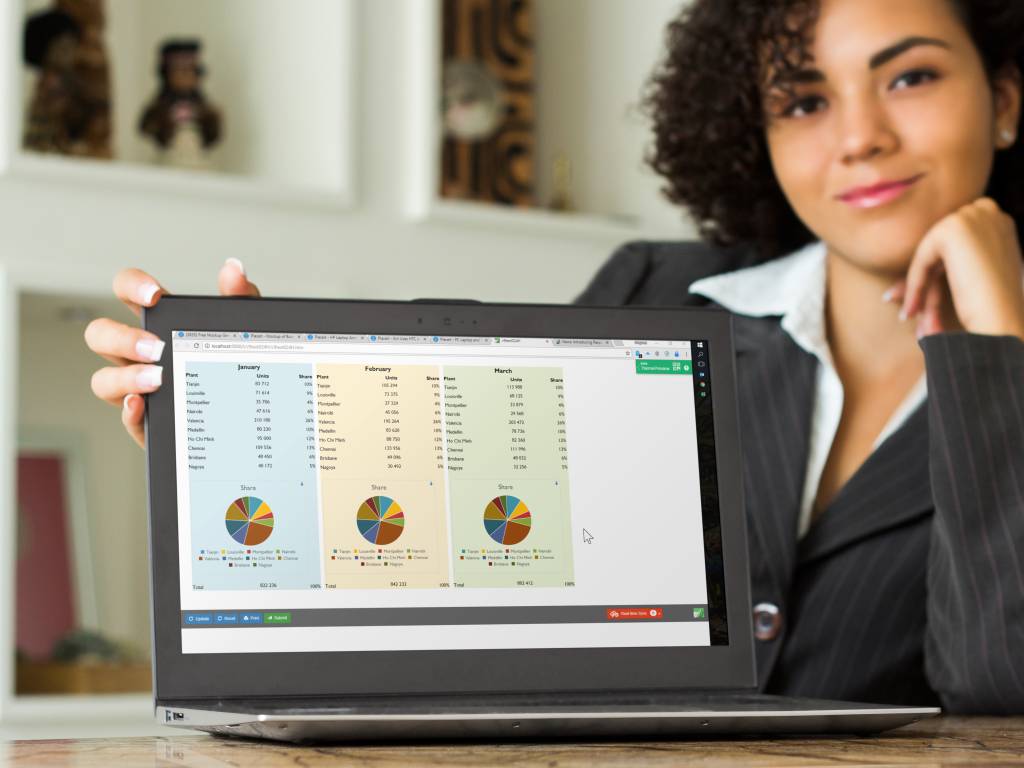
The web pages are responsive and adapt to the screen width. On the narrow screen of the tablet, there is only room for two blocks side-by-side.
Our selection of flavors
- Our basic product converts Excel spreadsheets to HTML with embedded JavaScript that can be used with any web server. All calculations are performed in the browser, without any help from the web server.
-
The calculations and data behind our Covid-19 risk assessment model are quite complex and without the Spreadsheet Converter we would have not been able to post the tool online in a reasonable time frame.
Superior support
Our support centers in America, Asia and Europe provide support almost 24 hours a day during weekdays. Technically competent support engineers are here to answer your e-mails. They are all programmers and web developers.
If possible, send us a copy of the spreadsheet you’re working on. We know it may be sensitive but it saves so much time trying to recreate the problem you are having.
Low cost, no risk
Here is the complete price list:
- There are no additional fees per month.
- There are no additional fees per page or conversion.
- There are no additional fees per web server, page view or visitor.
- There are no additional fees for Excel or plug-ins. The web pages we create have everything in them and do not need or use Excel.
In fact, when spreadsheets are available online like this, many people no longer need their own Excel licenses, which can generate additional savings.

Let us convert a spreadsheet for you, right now!
We’ll gladly convert one of your own spreadsheets for you. It’s so simple to do, we won’t even charge you anything for it. It won’t take us much time anyway.
If you like the result, we hope you’ll want to install the program and take it for a test drive in your own laptop.
Download and try the program for free for 30 days
SpreadsheetConverter is an add-in for Microsoft Excel in Windows. It appears as an extra menu in Excel.
The program does not collect personal data and there are no advertisements. If SpreadsheetConverter doesn’t solve your problem, it is easy to remove completely.
A built-in web server lets you preview converted web pages before uploading them. To use this feature you must allow the installer to add an exclusion to the Windows firewall. No other system or browser settings are changed.
Before you try converting one of your own spreadsheets we recommend that you follow one of our simple tutorials and convert an example file.
Technical requirements

Import an Excel spreadsheet in your blog or website
Converting spreadsheets to web format makes it very easy to import them into your blog or website. Here are tutorials on how to do this in various popular environments:
- Import Excel spreadsheets and charts in Blogger
- Import Excel spreadsheets and charts in Drupal
- Import Excel spreadsheets and charts in Google Sites
- Import Excel spreadsheets and charts in Joomla
- Import Excel spreadsheets and charts in Squarespace
- Import Excel spreadsheets and charts in Typepad
- Import Excel spreadsheets and charts in Weebly
- Import Excel spreadsheets and charts in Wix
- Import Excel spreadsheets and charts in WordPress with the plugin
- Import Excel spreadsheets and charts in WordPress without the plugin
- Import Excel spreadsheets and charts in any blog or website
Get started with version 12
Install SpreadsheetConverter from Excel, or find downloads and instructions for earlier versions.
Historical product and edition information
The following original website wording describes earlier releases or services. It is retained for reference and does not describe current v12 availability or licensing.
Edition Standard Professional License to generate HTML pages $254 $494 License to generate pages for iPhone/Android $334 $654 License to generate pages for Node.js $374 $714 Cost per month $0 $0 Cost per page $0 $0 Cost per server $0 $0 Cost per visitor $0 $0 * VAT or the equivalent sales tax in your country will be added to the prices above if applicable .
You can create smart, calculating forms for online orders , live surveys or mobile data entry using phones. We can store your received forms in a cloud database – no developers needed there, either. If the phone is offline we just hold all the submitted forms for you until you get back online.
With SpreadsheetConverter iPhone/Android, you can create a simple mobile wish list or complete order form for smartphones. Let your customers fill out the electronic form right there, on the spot, then e-mail it to you directly from their phone instead of having to go upstairs and type it all in again on the computer in the bedroom.
Our desktop flavors support responsive design , where the formatting of a cross-platform web app automatically adapts to the width of the screen or window. The web app is fetched and used in a web browser. With responsive design, you can use the same spreadsheet-based design on any screen – wide or narrow.
Hybrid apps embed a mobile website inside a native app. This allows the developer to use web technologies while still being able to access device hardware, work offline, list the app in an app store etc.
You can package the resulting hybrid app and sell it as a standalone product in an app store.
All devices supported: you also get a license for the HTML flavor that lets you make the web page responsive – automatically expanding on the wider screens of tablets, laptops and desktops – to look good and work well on any device.
Built-in web publishing. The Publish to Cloud feature instantly publishes your converted web apps on distributed Amazon S3 web servers for rapid global deployment.
Automatic form-to-Inbox delivery: When users submit completed forms, SpreadsheetConverter delivers them directly to your e-mail Inbox. For a small fee, forms can be saved in a database for later retrieval, thanks to a hosted service that requires no local installation or server.
There are no errors: The calculator doesn’t need any testing since thousands of users already have tested our calculation engine.
It’s cost-effective: You need the SpreadsheetConverter program only when you perform the actual conversion from spreadsheet to web app. You need one license for each PC on which you install the program to perform such conversions.
It’s free to distribute: With the Professional Edition, you can make the calculator part of a product that you sell.
You take no risk: Every purchase comes with a 30-day money-back guarantee and six months of free e-mail support.
With version 11, compatibility with the latest Office 365 Excel and Excel 2021, as well as integration with Google Analytics 4.
Better printing and new calendar widget in version 10.2.
With version 10, conversion is automatic with Live Preview
SpreadsheetConverter can also generate HTML5 web apps for iPhone and Android smartphones. These make it easy to collect data with mobile devices, select or configure products or do spreadsheet calculations in a smartphone. Web apps can be delivered through an app store and you can charge for them.
Special server products generate program code for Node.js , web servers. Since this flavor keep the formulas on the server and perform all calculations there, your business formulas are hidden from the end user . Running the formulas on the server also makes it much easier to add back-end integration, for example for saving and restoring values to a database. Communication with the server is minimal and the web calculator updates itself quietly in the background while the user is busy entering data into the next cell. Your technical people refer to this technology AJAX .
We guarantee premium, high-quality support. You should get answers by the next business day, often within the hour. During your free trial we will assist you as much as we can. Every paid license comes with free e-mail support for six months.
SpreadsheetConverter is a mature product. SpreadsheetConverter has been for sale since 2002. We constantly add new value to the product. Updates are free within the same major version, so if you buy any version 10 product, all 10.x updates are free.
We are nice guys. Should we release a new major version within six months from your purchase, we wouldn’t think of charging you for the upgrade to the new version, so your license is upgraded automatically.
We recommend that you start with the Standard edition of SpreadsheetConverter HTML to learn the basics. As you become confident in your ability to generate web pages from Excel, you can add more “flavors” – technical publishing environments – to your toolset.
For serious publishing business, the Professional Edition lets you create web pages for clients, supports all the nerdiest Excel functions and provides even more beautiful chart types.
There is no risk, you’re safely protected by our 30-day money-back guarantee. If you are not satisfied with your purchase, just send us an e-mail, and we will cancel your purchase and refund the money.
Download the trial version of the add-in and try it for free for 30 days. At that point, you still enjoy a 30-day full no-questions-asked refund, so in total, you can test the software for up to 60 days!
SpreadsheetConverter is an add-in for Microsoft Excel in Windows. If you have a reasonably current version of Excel running in a Windows PC, you’re probably good to go.
For an overview of the various flavors of SpreadsheetConverter and their exact technical requirements, please study the product comparison chart.
Click on Download to install and test this Excel add-in for Windows.
SpreadsheetConverter is an add-in for Microsoft Excel in Windows. It appears as an extra menu in Excel. Excel and SpreadsheetConverter are only used when you create the spreadsheet and convert it to web format. We charge a small one-time license fee for each computer on which you install the Excel add-in to perform such conversions.