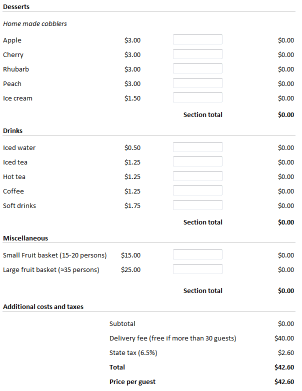
Use your skills in Excel to design powerful electronic forms with calculated fields for price, volume, weight – anything! Convert your spreadsheet to a calculating web page with a Submit button that can send completed forms to any e-mail inbox.
We use a laptop to create an electronic form in Excel. With the tabular structure of Excels rows and columns, it’s very easy to get good-looking results, even with complex forms. Using Excel also gives us access to the functions and formulas we are used to. If we need a subtotal in the form, we just add the formula to the right cell in the spreadsheet.
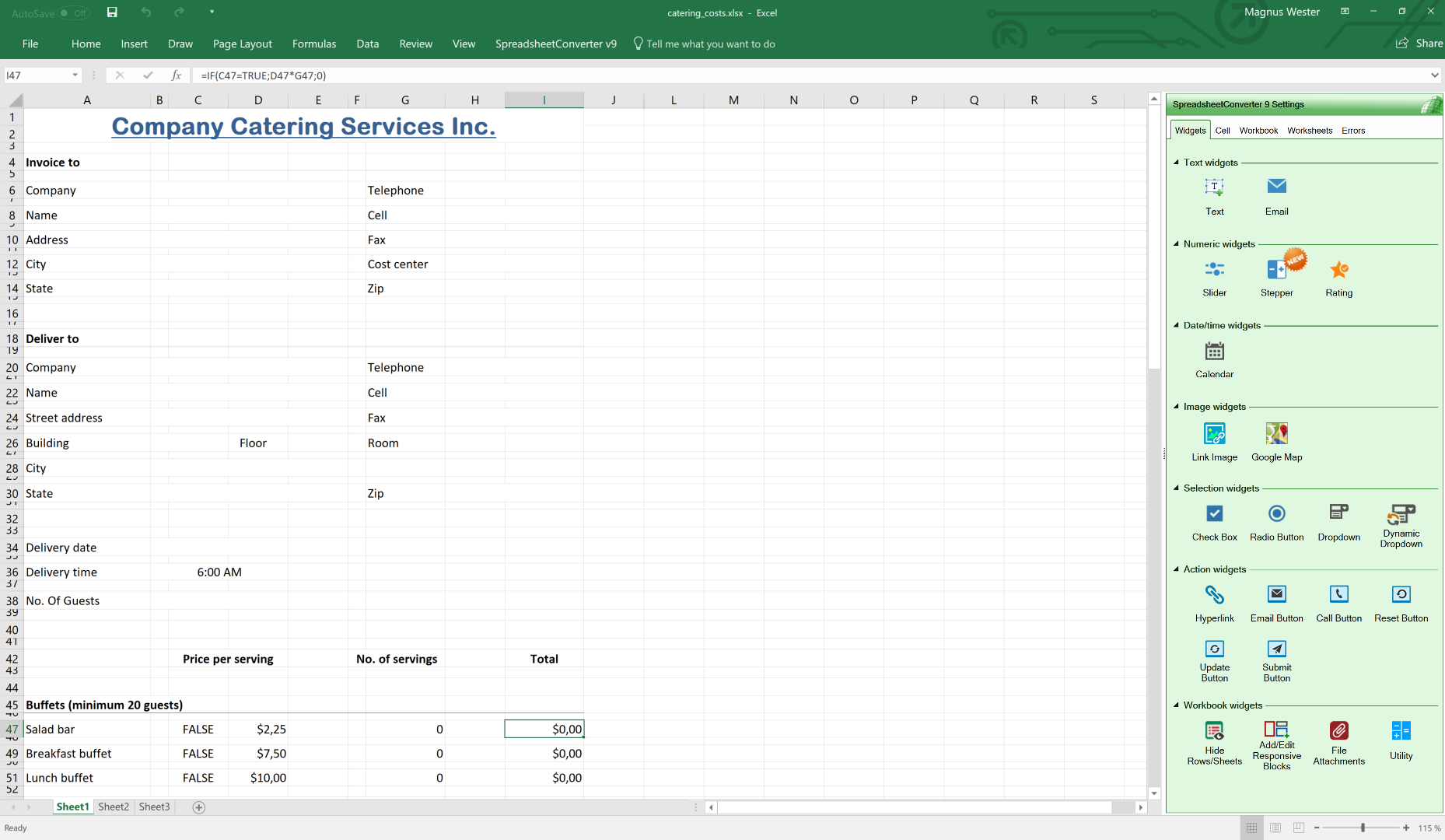
SpreadsheetConverter runs as an add-in in Excel. It converts spreadsheets to modern web pages with advanced functionality that would be very costly to develop using a professional web designer. Create any live calculator or chart and put it up on the web in no time at all. Click on the image to see what we did in detail. When we are happy with our design, we press the Convert button.
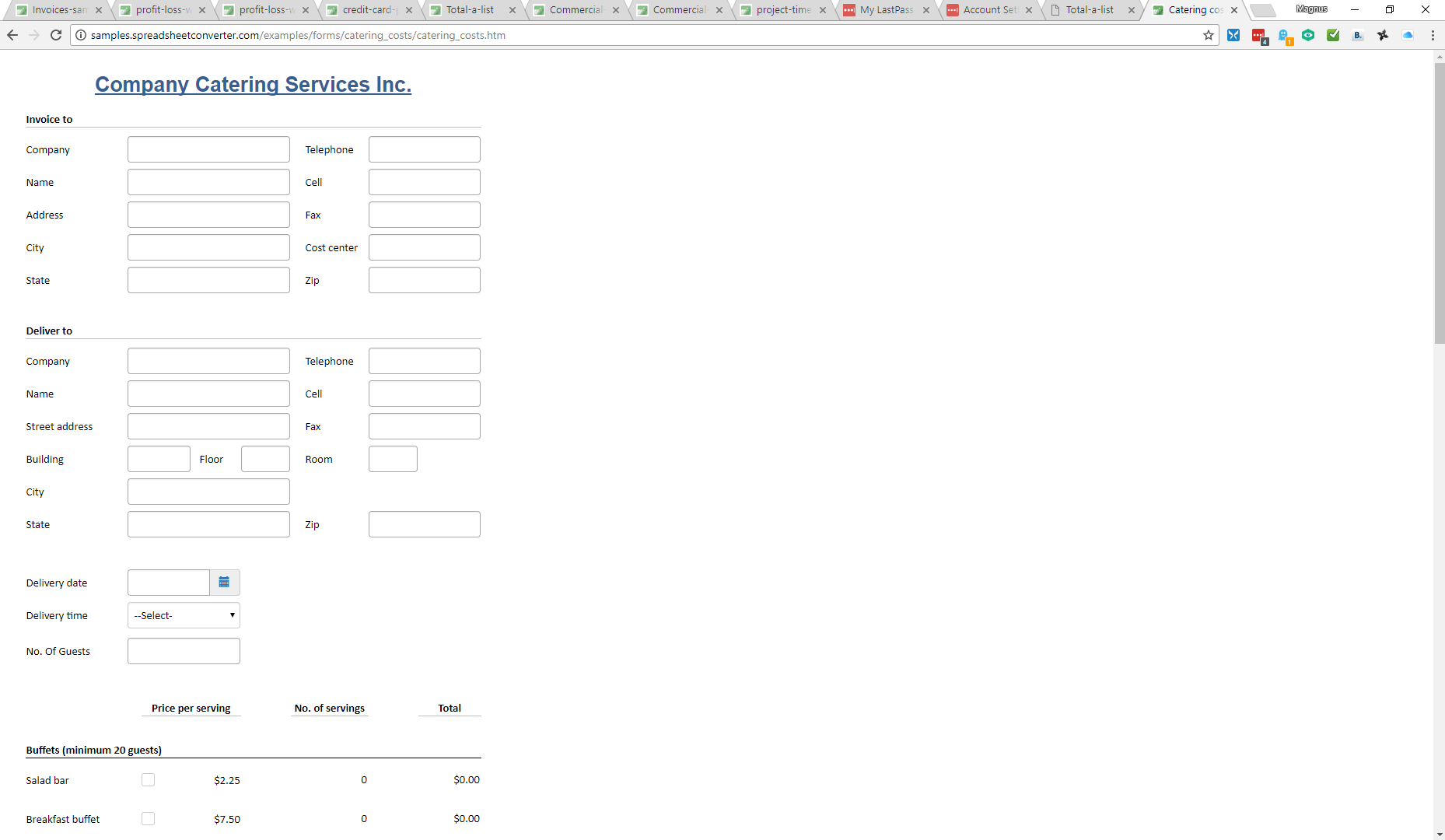
SpreadsheetConverter converts spreadsheets to live web pages. Click on the image above to test the catering form now, in your own web browser. Enter some data into the form, then click on Submit to see how submitted forms look when they arrive for processing.
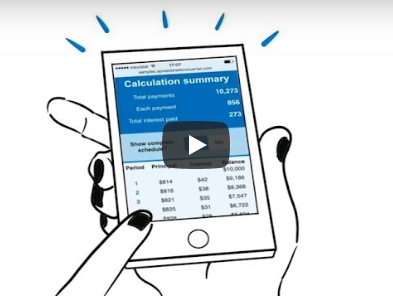
SpreadsheetConverter is the perfect tool for creating calculating web forms and web pages that attract attention.
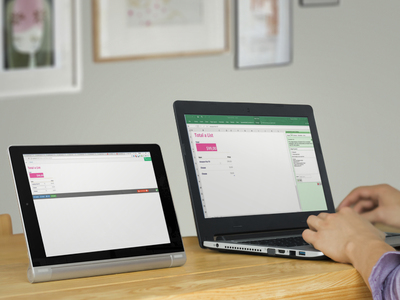

Only SpreadsheetConverter HTML works on all web servers since we do the calculations using JavaScript. JavaScript is always supported.
Only SpreadsheetConverter has royalty-free distribution. No extra per-server fees.
And there’s more:
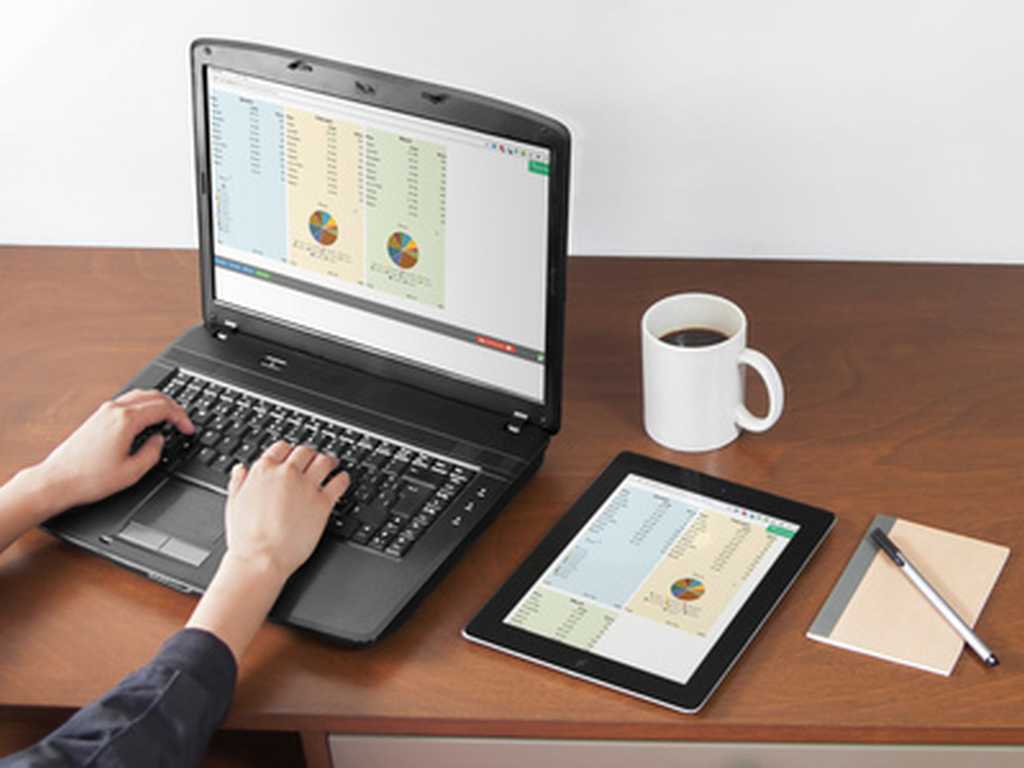
Live, calculating web pages like these are very expensive to develop by hand with all the programming, testing and debugging that takes a lot of time even for a specialist.
By developing your expense report, order form or shipping calculator in Excel, you save a lot of time already at the design stage. Your calculator works and can be tested even before we turn it into a web page for you.
The converter turns the spreadsheet formulas into blocks of standard program code that have been meticulously tested by thousands of users.
The web pages are responsive and adapt to the screen width. On the narrow screen of the tablet, there is only room for two blocks side-by-side.
The calculations and data behind our Covid-19 risk assessment model are quite complex and without the Spreadsheet Converter we would have not been able to post the tool online in a reasonable time frame.
We are thrilled to have found this solution and would highly recommend it to others considering upgrading their spreadsheets to online tools!
I have found your product to be simply marvelous, and the support excellent. Many thanks.
I was able to release an android app on Google Play. Not bad for a guy who did not know what an app was 6 months ago.
By the way---thanks again---this software is awesome!
Many many thanks!!! In case you need a reference, do not hesitate to let us know. We have a sheet which is integrated in WordPress.
Your app is great!
We use SpreadsheetConverter to create design tools for our products. The Professional edition is able to handle a very large and complex Excel workbook, and saves our web programmer a significant amount of time.
That's brilliant! I can do a lot with that. As always, awesome stuff!
I wish your company well. You have a great product for many purposes.
I am an app developer. I found the spreadsheet converter software and it has made app development so much better and easier.
Love your products. Just amazing! Can I switch to the mobile converter?
I started two months ago developing a reservation system for my wine tour business in Excel and converted it for the website with Spreadsheet Converter.
Absolutely great product that saved hundreds of hours of manual coding converting my excel calculators to web pages.
I remain impressed. You have a phenomenal product.
Please forward my congratulations to your development team, as they have done an outstanding job!
I just wanted to say this program is an awesome piece of work! I want to thank you for following your passions and sharing it with us, the world.
Thank you for creating this wonderful software. I love it!
YOU ROCK! Thanks for the latest upgrade. Keep up the good work!
Version 7 is brilliant, the way it shows and prints on a Mac, iPad and iPhone - WOW!
The converter is amazing.
I have been a long-time user of ExcelEverywhere and SpreadsheetConverter and have frequently had issues, made suggestions etc. All have been resolved satisfactorily. However, I have to say version 8 is absolutely brilliant and unlike in the past there is no "but ..."! With a bit of imagination there is virtually nothing that can't be delivered using it. Well done to all and thanks.
SSC7 is AWESOME! I am very happy about the show/hide rows or sheets - that's an incredible development for me.
This program was a great find for us. Eliminated plenty of money developing custom website as I do this all myself. Plus it has such great features and flexibility, customers love the interface.
I just thought you might like to see what I did with your converter. What a fantastic product! I have been able to add another dimension to my blog with this.
Bingo! That did the trick. I love this product and appreciate your help in resolving my problem. Sorry for my lack of computer knowledge. Satisfied customeer, will recommend it to friends.
"We have been using the software and it is an absolute pleasure to use. I have now subscribed to and paid for the Professional HTML version and it is working perfectly.
Thank you. Just to let you know that is a terrific product, I received some compliments from my graphics and website designers; we use the converter for a unique concept.
I thought you might like to see this - I am so happy to have been able to do this kind of thing. Thanks!
Thank you very much! Your product is the absolute best!
Your HTML product exceeded my expectations! With your permission, I'd like to list you on my site as a recommended link.
Thanks a lot, it is a great application.
I used your software to create a complex earnings calculator for my website. My website management company was so impressed, they asked me to write an article about using your product for their subscriber newsletter.
Everything worked so well that we bought the software.
What a great program! I am certainly not a web expert, but your software impressed my staff, and made me look like I know what I'm doing! I purchased the software and easily installed the form in my webpage in less than an hour. I cannot begin to tell you how happy I am with the results!
Thank you very much...this will save a lot of headaches and make me look good.
The only problem I see is everyone inundating me with spreadsheets they'll want created for our site!
That is exactly what I was looking for, you and your program have saved me an amazing amount of time.
I've tried this product and it is amazing! It really helps a lot to control our presentations of Excel on the web, especially for customers and business associates.
What you guys have developed here is a goldmine.
We guarantee premium, high-quality support. You should get answers by the next business day, often within the hour. During your free trial we will assist you as much as we can. Every paid license comes with free e-mail support for six months.
SpreadsheetConverter is a mature product. SpreadsheetConverter has been for sale since 2002. We constantly add new value to the product. Updates are free within the same major version, so if you buy any version 10 product, all 10.x updates are free.
Our support centers in America, Asia and Europe provide support almost 24 hours a day during weekdays. Technically competent support engineers are here to answer your e-mails. They are all programmers and web developers.
If possible, send us a copy of the spreadsheet you’re working on. We know it may be sensitive but it saves so much time trying to recreate the problem you are having.
We are nice guys. Should we release a new major version within six months from your purchase, we wouldn’t think of charging you for the upgrade to the new version, so your license is upgraded automatically.
I have found your product to be simply marvelous, and the support excellent. Many thanks.
Great Support Level, thank you very much!
Although we ran into some problems at first due to the complexity of the workbook, Mattias in customer support went above and beyond to help solve the problems.
Thank you! i appreciate your response. It's a pleasure working with your program.
Because of your fast answers and help, we want to leave an advertissement for Spreadsheet on our website!
Aha! I saw that, I can import that into EXCEL. You think of everything ;>)
Your support team is the best. Excellent products and good support makes life easier for us novices.
I just wanted to drop you a line and say that I am delighted with the way you respond so quickly to support questions!
Bingo! That did the trick. I love this product and appreciate your help in resolving my problem. Sorry for my lack of computer knowledge. Satisfied customeer, will recommend it to friends.
Thank you for the prompt replies - excellent support, very refreshing.
I got lots of pre-sales help from Anna Winter, and the support I got made the purchasing decision dead easy - you are a great company to deal with. Many thanks again.
O my goodness this is awesome!!! Perfect that is exactly what I needed!! Thank you all so much for all of your help!!!!
Thank you for being so responsive. The speadsheet works great!
I just purchased the product. Thank you very much for the support. This product is going to be a life saver for me.
I really like SpreadsheetConverter and your VERY quick response so ordered full license today.
Thx! U rock!
Your tech support has to be one of the top 3 in the world. Thank you again for creating this wonderful program and for the support and quick answers to my problems.
I am absolutely amazed at the speed of your response. Thank you very much. Your product is outstanding and your support is equal to the product.
The support your company provides is fantastic.
And did I mention your customer support? You have responded to my questions promptly.
You guys ROCK! I checked the formulas several time and didn't catch that! I'm very impressed with your talent and fast response and service. Thank you!
Thanks for all the great information; it is obvious you wish to assist others in having successful Web products, and your expertise is much appreciated.
WOW, You're good. Thanks for the quick reply.
We recommend that you start with the Standard edition of SpreadsheetConverter HTML to learn the basics. As you become confident in your ability to generate web pages from Excel, you can add more “flavors” – technical publishing environments – to your toolset.
For serious publishing business, the Professional Edition lets you create web pages for clients, supports all the nerdiest Excel functions and provides even more beautiful chart types.
Here is the complete price list:
| Edition | ||
|---|---|---|
| Standard | Professional | |
| License to generate HTML pages | $254 | $494 |
| License to generate pages for iPhone/Android | $334 | $654 |
| License to generate pages for Node.js | $374 | $714 |
| Cost per month | $0 | $0 |
| Cost per page | $0 | $0 |
| Cost per server | $0 | $0 |
| Cost per visitor | $0 | $0 |
| * VAT or the equivalent sales tax in your country will be added to the prices above if applicable. | ||
SpreadsheetConverter is an add-in for Microsoft Excel in Windows. It appears as an extra menu in Excel. Excel and SpreadsheetConverter are only used when you create the spreadsheet and convert it to web format. We charge a small one-time license fee for each computer on which you install the Excel add-in to perform such conversions.
In fact, when spreadsheets are available online like this, many people no longer need their own Excel licenses, which can generate additional savings.

There is no risk, you’re safely protected by our 30-day money-back guarantee. If you are not satisfied with your purchase, just send us an e-mail, and we will cancel your purchase and refund the money.
The calculations and data behind our Covid-19 risk assessment model are quite complex and without the Spreadsheet Converter we would have not been able to post the tool online in a reasonable time frame.
SpreadsheetConverter has allowed our business to give a real boost to our customers. Their tools are easy to use, work very well, and are very powerful.
Your conversion software not only has increased efficiency in my small company but may also be assisting me in another small startup.
You are so good man, thanks a lot and my confidance in your company has increased more.
This company is really a class act! We will definitely be using SpreadsheetConverter for future web apps.
Your amazing service and support prior to our purchasing the product makes a positive difference!
You really kept me going with my project. I am very grateful.
I recently purchased your software and would like to tell you that it is incredibly useful for me.
I am very impressed with not only the software so far, but the clarity of the User's Guide and all the follow-up up help, such as this email. Very refreshing to see a company make the buyer feel welcome!
I think you may not be charging enough for it (I can say that now since I already paid for it).
Thanks for developing such high-quality products and for selling them at a price that the small business community can afford.
I am so glad I found you guys and am also glad I bought your program. I will soon be upgrading the product to the next level.
SpreadsheetConverter solved my problem in a few easy steps.
Let us convert one of your Excel spreadsheets to a live web form or calculating web page. Just e-mail us one of your spreadsheets now and we’ll do it for you. It’s so simple, we’ll even do it for free! Once you see the impressive result, you’ll want to download the program and try for yourself.

SpreadsheetConverter is an add-in for Microsoft Excel in Windows. It appears as an extra menu in Excel.
You don’t need a license to test the Excel add-in, just download the trial version and install it on your Windows computer. We recommend that you start with SpreadsheetConverter HTML. If you buy a license for one flavor and later want to upgrade to a different flavor, you only pay the price difference.
SpreadsheetConverter does not collect personal data or show ads. It is easy to remove it completely if you don’t want it.
If you want to preview converted web pages before uploading them to a web server, you will have the option to add an exclusion to the Windows firewall. No other system or browser settings are changed.

SpreadsheetConverter is an add-in for Microsoft Excel in Windows. If you have a reasonably current version of Excel running in a Windows PC, you’re probably good to go.
For an overview of the various flavors of SpreadsheetConverter and their exact technical requirements, please study the product comparison chart.
Converting spreadsheets to web format makes it very easy to import them into your blog or website. Here are tutorials on how to do this in various popular environments:



Click on Download to install and test this Excel add-in for Windows.
Click on Upload to let us convert a spreadsheet for you for free.