
Contact Support
We’ll help you out.
Report a conversion problem
Check the Messages tab first. After a completed conversion, the task pane also offers conversion feedback: select the thumbs-down option and describe what went wrong.
When contacting support, include the steps to reproduce, what you expected, what actually happened, and any job reference shown in the task pane.
Contact us
Send your question by e-mail.
For an installation problem, describe where the installation stopped and any error shown.
Original explanation and earlier-version instructions
Historical reference: this original human-written page includes earlier interface screenshots, platform instructions and offers. Follow the current version 12 guidance above for the modern workflow.
Report technical issues inside the add-in
If you are working with a spreadsheet and not getting the results you want, or if you get error messages that you don’t understand, it is always best to use the Report Issue function in the add-in. This ensures that our help desk gets all the logs and system info they may need to understand the problem. Just click on the button in the SpreadsheetConverter ribbon and fill in the form.
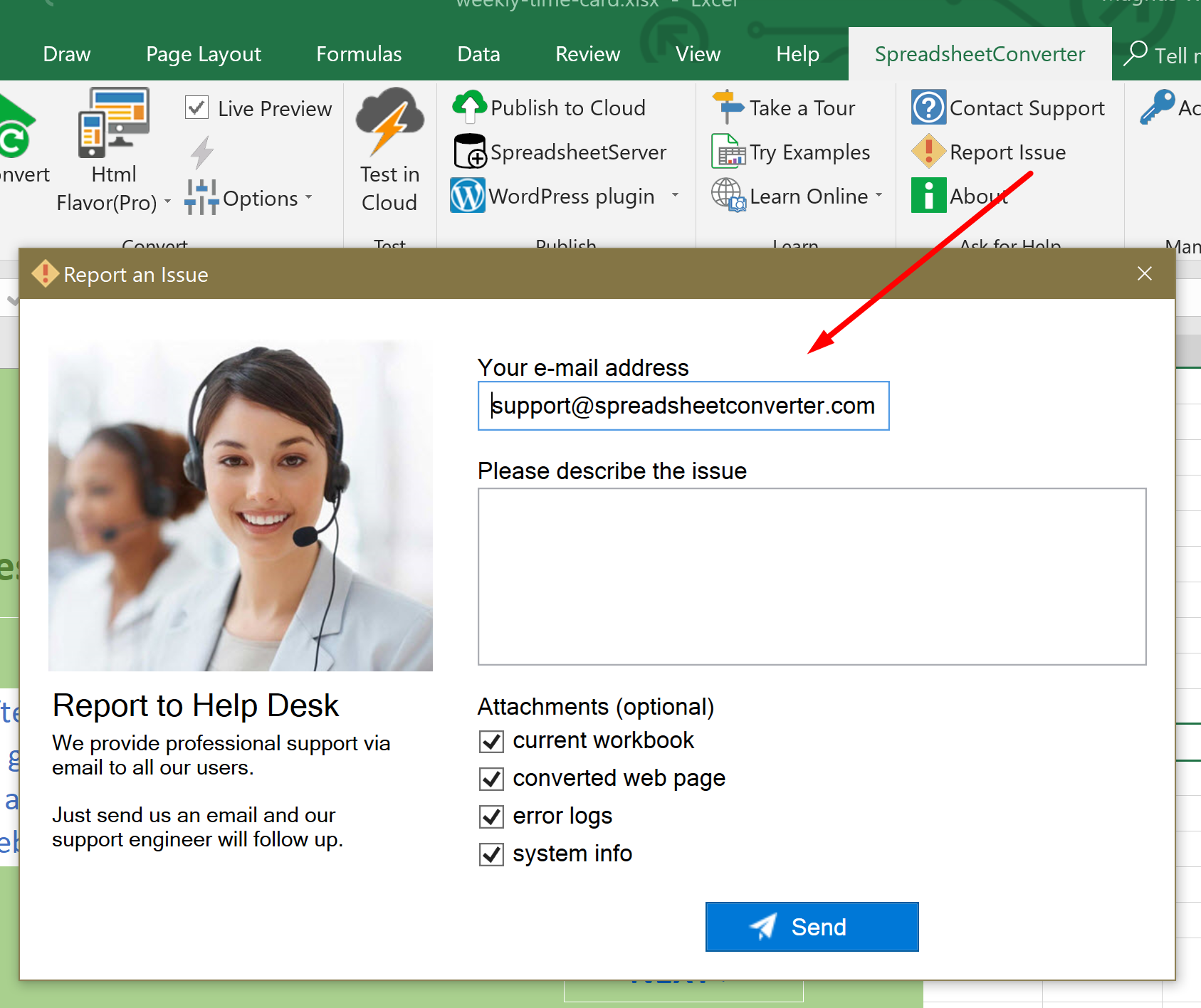
Contact form
If the contact form doesn’t seem to work, send your question by e-mail.