
Advanced Submit & SpreadsheetConverter Server
Publish to cloud or Publish to Server?
Send a completed form when the end user presses Submit, or save the work as they fill it in. Choose the workflow that fits your form.
Publish to cloud uses the classic publishing model familiar from version 11 and earlier, and remains an option in v12. Publish to Server introduces a new workflow in v12, with saved records that people can return to, continue on another device and discuss with you.
Publish to cloud · Classic
Complete it. Submit it.
The generated webpage is self-contained: its form and calculations run in the end user’s browser. The submission service becomes involved when the end user presses Submit.
With Advanced Submit configured, our service collects the form data, renders a PDF that looks like the completed webpage and emails the owner. A submitter email field lets the person completing the form receive a copy too.
A good fit for public calculators, estimates, enquiries and forms normally completed in one visit.
Publish to Server · New in v12
Start it. Return to it. Discuss it.
SpreadsheetConverter Server saves changes as the end user fills in the form, while connected. You can see records that are still partly filled in, before the end user submits them.
The end user can return later, continue on a phone or another computer, and keep separate records for different jobs or requests. You and the end user can use comments on the form to ask questions and reply.
A good fit for applications, inspections, job reports and requests that need follow-up.
Compare the two workflows
| What matters to you | Publish to cloud (classic) | Publish to Server |
|---|---|---|
| When you receive the data | When the end user presses Submit. | Changes are saved as the end user fills in the form, including incomplete records. |
| Return later | With Browser storage enabled, the page tries to retain values in the same browser. | Reopen a saved record and continue working on it. |
| Continue on another device | Browser storage does not transfer the draft to another browser or device. | Use Continue to phone: scan the QR code, compare the six-digit code and approve the phone. Or use the emailed continuation link on another browser or computer. |
| Several jobs or requests | Submit each completed form; local storage is not a server-backed list of drafts. | Create separate records over several visits and find them again in the same browser. |
| Questions and replies | Follow up through your usual email or contact process. | The owner and end user can comment on the form and keep the conversation with the record. |
| Your own submission backend | Use Own web server to send the form to a developer’s own endpoint. | Use SpreadsheetConverter Server to manage the saved records and continuing workflow. |
Publish to Server
Continue to phone: scan, confirm, carry on
Start at your computer, then pick up the same form on your phone. There is no long web address to type and no need to enter your form details again.
- On your computer, choose Continue to phone. The Server saves the current record and displays a QR code.
- Scan the QR code with your phone’s camera. Open the link. Your phone and computer display a six-digit code.
- Compare the codes and click Approve this phone on your computer. When the codes match and you approve, the saved form opens on your phone, ready to continue.
You compare the code shown on both screens; you do not need to type it in. This is especially useful for an inspection or job report: enter the details at your desk, then use a camera or image attachment field on your phone to add photos where the work happens.
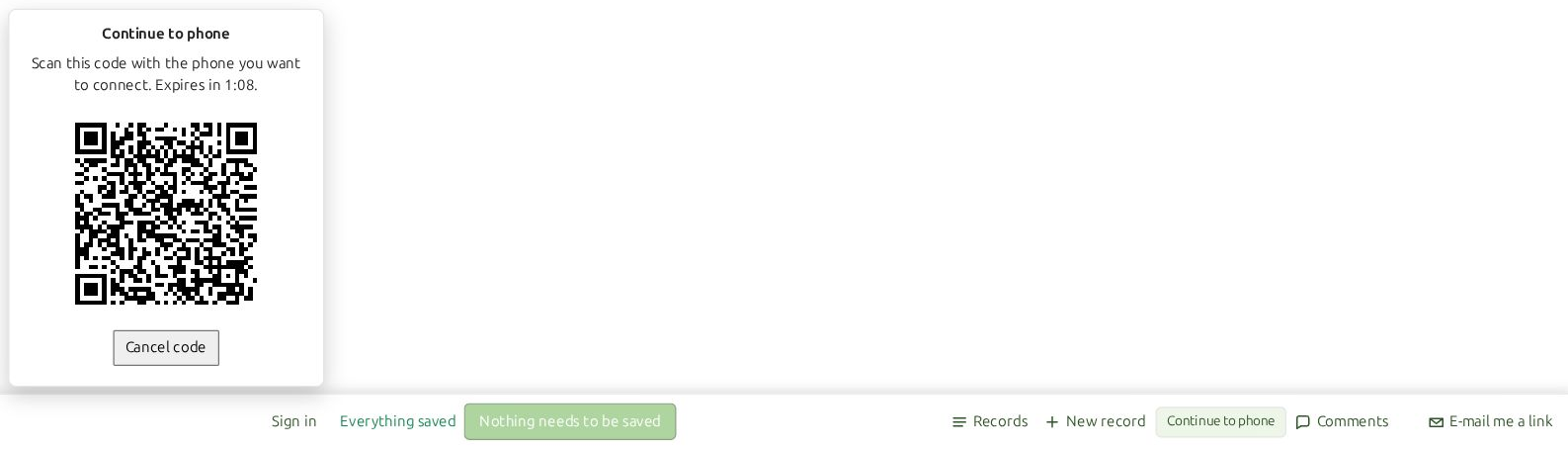
The connection QR code is short-lived. If it expires, open Continue to phone again to get a fresh code.
Which fits your form?
Classic
A busy quotation calculator
End users try sizes, quantities and options to see an estimate. Only those ready to enquire press Submit. Calculations run in each end user’s browser, so trying different options does not create a stream of requests to the submission service.
Publish to Server
An inspection that moves to the phone
Start with the job details at a desk. Choose Continue to phone, scan the QR code and confirm the matching code. Take the form to the site to add photos using a camera or image attachment field. Return to the same record to finish the report, with comments available for questions about the work.
Publish to Server
An application completed over several visits
A customer starts a form, leaves to find missing information and returns later using the continuation email. You can review the incomplete record and use comments to clarify what is needed.
Publish to Server
Separate reports for separate jobs
A contractor creates one record for each job over several sessions. On the same browser, they can find their earlier records and reopen the right one. Questions and replies stay with that job’s form.
A short request can use either workflow. Choose classic when receiving the completed form is enough. Choose Server when the work needs to continue across visits, devices or a conversation.
How end users return to their work
Classic: Browser storage enabled
Enable Browser storage enabled to let the page try to keep entered values in the end user’s browser. They can continue later in that same browser and submit when ready. Clearing browser data or browser storage restrictions can remove or prevent this local save. It does not make the unfinished form visible to you.
Server: saved records and a continuation email
End users can return to their records in the same browser. To let them continue in a different browser or on another computer, include a field named email. When the end user enters their email address there, they receive an email with a link to continue later.
Moving the form to a phone is particularly useful when the form includes a camera or image attachment field. Configure the form’s access and sharing settings for the people who should be able to use its records.
Classic publishing for developers and busy websites
The classic model keeps calculations in the browser and concentrates submission processing at the point of Submit. This suits websites with many end users exploring a calculator before sending a result. Hosting the page still involves serving its files; this distinction concerns form processing, and is not a guarantee of unlimited submission capacity.
A developer can choose Own web server and supply a destination URL for the form’s POST. That backend takes responsibility for storing the data, generating PDFs and sending emails. Our hosted submission workflow uses a different payload, so test the receiving endpoint with the generated form.
Already using Advanced Submit?
Existing Advanced Submit customers can continue publishing their forms and receiving PDF submissions that look like the completed webpage. That classic workflow remains useful even when you do not need server-saved drafts or continuing conversations.
See existing Advanced Submit subscription terms for your service and licence options. For v12, see the current plans and SpreadsheetConverter Server features.
Earlier versions: original Advanced Submit information
These preserved instructions describe earlier versions and service offers. For current choices and existing-customer terms, use the comparison and links above.
Form submission in v12
Your v12 subscription includes SpreadsheetConverter Server hosting, submit and records. Every plan includes unlimited end users, with email or anonymous. Receiving email addresses and submissions remain subject to fair use. Builders and additional team members have separate plan allowances. Team members access data according to their workgroup. End users can see only their own data and do not count towards the team member allowance. Compare subscription plans.
The add-in’s submission settings include Free service, Advance service and Own web server. Configure a destination and a Submit button before converting your form. For the hosted Free or Advance modes, set the receiver email: without it, submitted forms are not emailed to anyone.
Own web server requires a non-empty destination URL. This is a native form submission path; the hosted service uses its own JSON submission workflow. Test your selected destination and successful and failed submission behavior before publishing.
Historical CAPTCHA and secure-email settings are not exposed in the current add-in. Earlier standalone service offers, bundled trial periods, attachment quotas and delivery guarantees below do not establish current v12 plan terms.
Additional features
- The e-mail from the Advanced service contains the form’s contents also in PDF and CSV format.
- If forms include Link Image widgets with secure image links that begin with https, these images are present also in the PDF file.
- If your form includes an interactive chart, it will be included with the submitted form.
Filter, sort and download submitted forms
Online demonstration
- To login to the demonstration site you will need a user name and password that you must memorize now. Please remember to log in as user demo with password demo.
- When you have logged in to the demonstration site, select “Simple Course Evaluation” in the top, left-hand menu, and “All” in the time period selector on the right-hand side. You will now see the latest twenty submissions for this form.
- To use the AutoFilter feature, click on the heading for the Instructor column and select Custom. You should get a window similar to the one below. Change the condition to Equals and the value to Darren. Click OK. Now you can view, save or delete only the survey responses for the instructor named Darren.
- Please contact our help desk if the demonstration site doesn’t work as you expected.
Receive formatted e-mails
| The School Store | ||||
| Price | Quantity | |||
| Adjustable Baseball Cap | £10 | |||
| Pro-Back Baseball Cap | £20 | |||
| T-shirts | £10 | |||
| Denim Shirt | £30 | |||
| Zipper Sweatshirt | £35 | |||
| Gym Shirt | £10 | |||
| Gym Shorts | £10 | |||
| Moch Turtleneck | £30 | |||
| Champion Windbreaker | £40 | |||
| Short sleeve polo | £30 | |||
| Long Sleeve Polo | £35 | |||
| Senior T-shirts | £15 | |||
| Sweatshirts | £30 | |||
| Child’s Sweatshirt | £25 | |||
| Subtotal | ||||
| Sales tax 17.5% | ||||
| Shipping (free over £100) | ||||
| Credit Card Charges 1.9% of subtotal | ||||
| Total | ||||
| Please, bill my creditcard | ||||
| Creditcard | ||||
| Expiry date | ||||
| Security code | ||||
| Name on card | ||||
| Address | ||||
| Address | ||||
| Post Code | ||||
| City | ||||
| Country | ||||
| Telephone | ||||
| Please keep me updated of news and information about products | ||||
| Thank you for your order! | ||||
Advanced Submit Service license
VAT or the equivalent sales tax in your country will be added to the prices below if applicable. Please contact our pre-sales Help Desk for more information.
Free Service
BuyFeatures
The HTML and JavaScript for the web form is created automatically from an Excel spreadsheet
Supports mandatory and hidden fields
Responsive, mobile-friendly design
Field contents can be calculated or validated using Excel formulas and functions
Select images or show maps depending on form field contents
Hide rows or entire sections that aren’t applicable
Create multi-step forms with wizard or sliding panel layout
Use themes for formatting and layout
Nothing to install in your server or website
No programming skills required, just enter an e-mail address
No change to configuration or settings
Known issues
- Hidden sheets may not be supported by all e-mail clients.
Original historical instructions and service information
Original wording below is preserved for earlier versions and services; it is not a statement of current v12 availability or plan terms.
For a small fee, we will save all your incoming web forms in a cloud database.
The Advanced Submit Service saves incoming web forms in a cloud database hosted by us. You can filter, sort and download saved forms whenever you like. When you use the Advanced Submit Service, all your web forms are sent to our forms processing server, which stores the submitted data in a database for later retrieval. This is extra useful when the volume of submitted forms can be so high that it becomes impractical to handle each form as a separate e-mail. Our server also sends each form response directly to your e-mail Inbox. With the Advanced service, these e-mails look exactly like the form did when the user entered data into it, including graphics and charts. Getting an e-mail for each new form makes it easy for you to know when there is work to do. When the volume of form responses is low, you can even process each form directly from the e-mail, without using the database. All submitted forms are stored in a secure database server that is hosted by us, on the Internet. There is absolutely no programming required on your part to use it. All you have to do is sign up for the Advanced service and enter the registered e-mail address when you define each electronic form. The basic subscription includes cloud storage for 100,000 received forms. Whenever you like, you can logon to our server to filter and sort the collected forms before you download them into Excel for further processing. You can also register forms manually, e.g. from paper forms or during telephone calls.
If forms include Google Map widgets, these maps are present also in the PDF file.
If you add the File Attachment widget to a form, users can attach files to the form, e.g. to enclose a CV with a job application. Your subscription includes 32 GB cloud storage to accomodate well over 8,000 uploaded files. You will be notified before reaching your plan limits.
If the contents of a form are sensitive, you can use the Secure Delivery feature which requires a user name and password to access the forms in the database.
There is no practical limit to the number of different forms you can develop or publish on the web. The subscription fee is $15/month and you can buy a license at the bottom of this page .
Before you can study the forms collected on the server, you need a user name and password that you get from us when you sign up for the service. When you login to your forms database on our server, it looks like this: In this case, a form called Simple Course Evaluation is shown, and the list includes All entries. You can change this to display only the most recently received forms, or forms received between any two dates. If you get some responses by mail or via telephone, you can manually enter form responses directly into the database. Just press New and the original web form opens. Fill it in and press Save and you have added another row to the database. Press Refresh to scan the database for new form submissions. Using the column headers, you can filter and sort the data in the database just like in Excel. With filtering, you can easily exclude all entries that have a blank value in a particular column, or elect to process only them. With the Custom setting you can also search for unique values like an instructor name, or use wildcards. By checking the checkbox next to one or more rows, you can delete unwanted forms submissions or the ones you’ve already downloaded with Delete marked rows . When you have filtered and sorted the list the way you like it, you just press Save as Excel to download all the forms in the list. When you download submitted forms, you get a nice Excel file, with column headers and with AutoFilters enabled. You can now process the electronic forms directly in Excel, copy and paste them to another program or import the file somewhere else. Did you notice the RSS Feed button in the first image above? Another convenient feature of the Advanced Submit Service is that you can monitor incoming form submissions both as e-mails and using an RSS reader .
We have created an online demonstration of how you can download forms from the Advanced Submit Service to Excel in your own PC.
The demonstration site will open in a new tab or window. These instructions will remain in this browser window. After you’ve logged in to the demonstration site you must switch between the two windows to follow the demonstration.
Now open the Advanced Submit Server demonstration site in your web browser and login using the instructions above.
Click “Save as Excel” in the top row of buttons. The browser should offer you the option of opening the spreadsheet in Excel or save it to disk.
The free service simply sends you an e-mail for every completed form, with the form fields and their values in a table. With the Advanced Submit Service, each e-mail contains a screenshot of the whole form, maintaining the original form layout from the web server. This makes it much easier to interpret the contents of the form. If a user opens this form and presses Submit, you will get the following e-mail.
The Advanced Submit Service is licensed separately, per month or with a 15% discount for a yearly license.
Six months of Advanced Submit Service is included for free when you buy a Professional Edition product.
To continue using the Advanced Submit Service after the free trial period, or to start a new subscription, use one of the links below. Save 15% with a yearly payment.
You need one license for each e-mail address you use to receive submitted forms. This e-mail address is also used to login to the server and access all the received forms. There is no limit to the number of different forms you can publish or to the number of responses you can receive for each form.
$0/month
For every completed form, you get an e-mail with all the form fields
$153/year
Includes 32 GB cloud storage for over 8,000 uploaded files
Received forms are saved indefinitely in a database
Includes cloud storage for 100,000 saved forms
Password-protected Secure Delivery of forms
$15/month
The e-mail infrastructure is beyond our control and there is simply no way for us to guarantee that you get all the e-mails we send you. E-mails may be blocked as spam or phishing attempts. With the Advanced Submit feature, we recommend that you always download new form submissions directly from our web server instead of taking the risks of e-mail delivery.
If your web form uses conditional formatting, this formatting will not be applied to the e-mail.
Features
Use all the features of the Free service
Users can send images and documents with forms, max file size 4 MB
The e-mail has the same layout as the form
The e-mail includes the form also in PDF and CSV format
Supports images, charts and maps, also in the PDF
Sort, filter and download received forms
Save 15% compared to monthly billing
Advanced Service, monthly license
BuyFeatures
Use all the features of the Advanced service
Flexible, monthly billing