Providing an online calculator on your website makes people come back. Design your online calculation in Microsoft Excel, then convert it into a calculating and interactive web page that can be published on your website.
Help your visitors do a better job, and they will return to your site for more. At last you can create online calculators for your website without the help of a programmer. All you need is Microsoft Excel.
You can use any feature of Excel on the web, including formulas and functions, to validate data entry, select intelligent default values or show customized images or maps.

See examples of what SpreadsheetConverter can do for you.
Free offer: Send us a spreadsheet and we’ll send it back as a web page.
Online calculators turn passive browsers into active visitors. If you make them start using your price calculator for a quote, or to check how much they can save by changing a mortgage, research shows a drastic increase in sales.
Online calculation is valuable also on websites that don’t sell anything. If you can supply an online calculator that solves problems that your visitors have, they will come back to use your calculator, and they will tell friends and colleagues about your site and the online services it offers.
A time-saving calculator makes your web site stand out from the competition. It’s so easy to put any existing form or calculator on the web: expense reports, surveys, quote generators, order forms, reservation forms, employment applications, financial calculators, engineering tools – the list is endless.
We’re not only talking simple plus-and-minus spreadsheets here.
The free form-to-Inbox service requires no installation, no programming skills and no configuration. Once you upload your first web form to your server, submitted forms start arriving at your Inbox. You are up and running within minutes. For a small monthly fee, we can store submitted forms in a cloud database for you until you visit our server to pick them up.
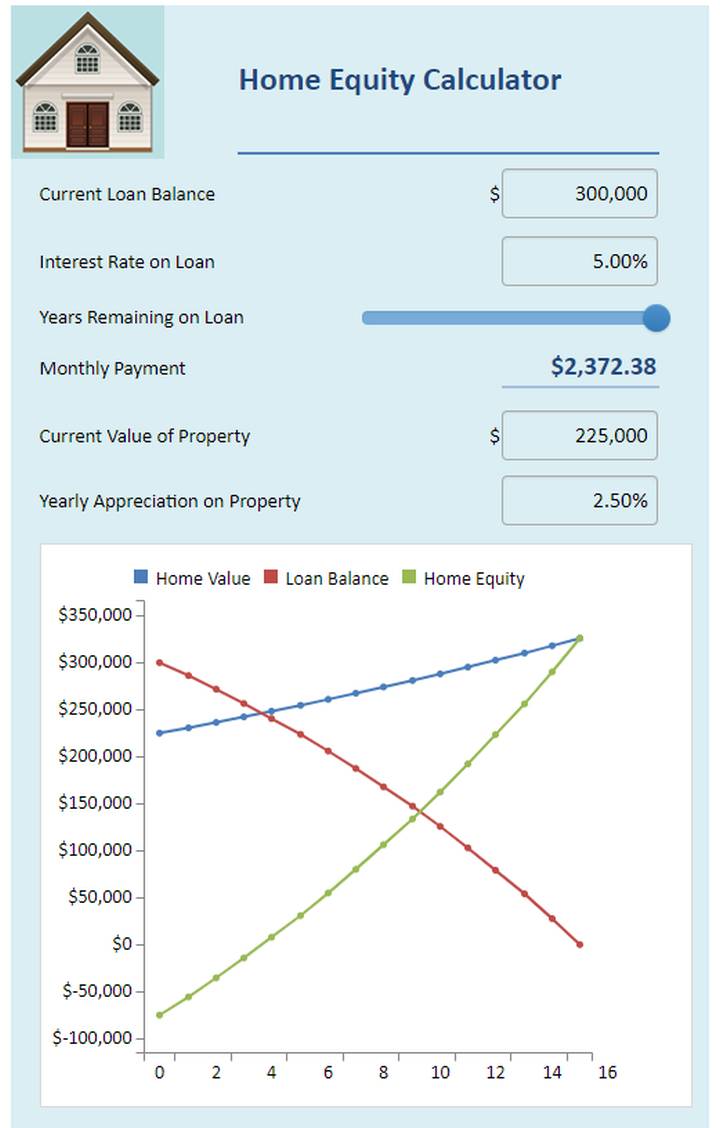
This is one of our favorite examples because it shows the advantage of live charts. Change any cell in the spreadsheet and the chart immediately reflects the new values.
In this example, you can also see a useful implementation of a slider. To change the years remaining on a loan, we could just have used a standard numeric field. Using a slider allows for much easier visualization of how the equity varies over the lifetime of the loan.
SpreadsheetConverter is the perfect tool for creating calculating web forms and web pages that attract attention.
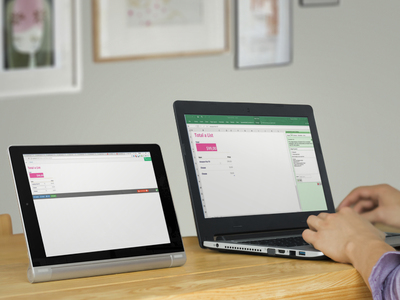

Only SpreadsheetConverter HTML works on all web servers, since we do the online calc using JavaScript. JavaScript is always supported.
Only SpreadsheetConverter has royalty-free distribution. No extra per-server fees.
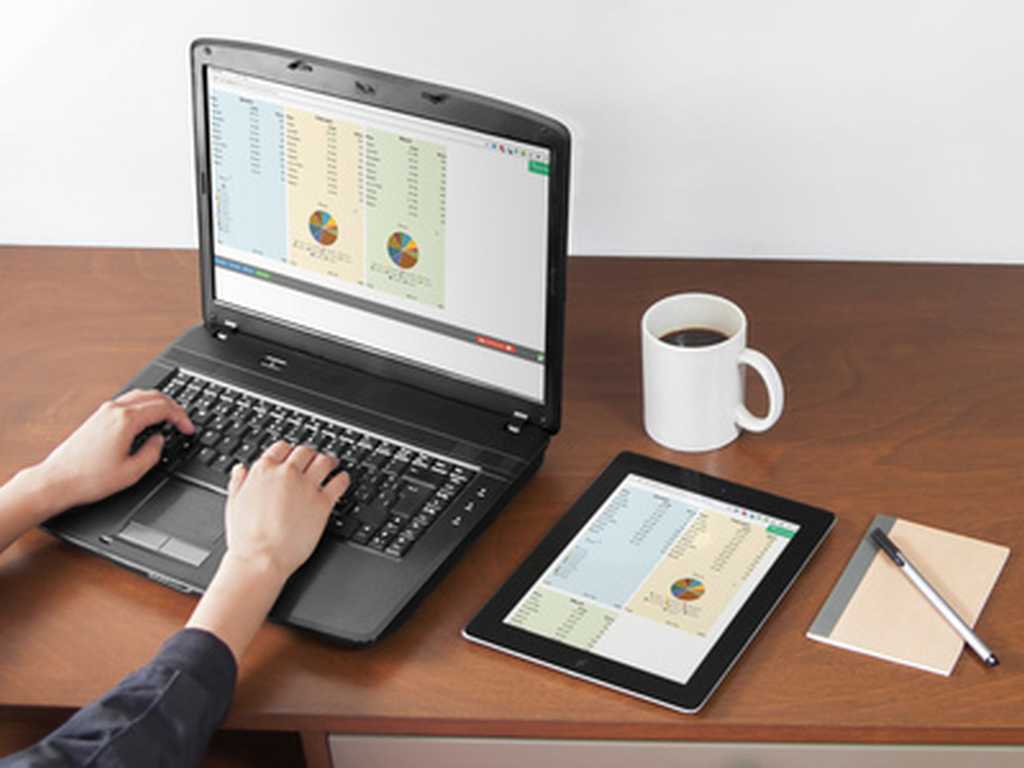
Live, calculating web pages like these are very expensive to develop by hand with all the programming, testing and debugging that takes a lot of time even for a specialist.
By developing your expense report, order form or shipping calculator in Excel, you save a lot of time already at the design stage. Your calculator works and can be tested even before we turn it into a web page for you.
The converter turns the spreadsheet formulas into blocks of standard program code that have been meticulously tested by thousands of users.
The web pages are responsive and adapt to the screen width. On the narrow screen of the tablet, there is only room for two blocks side-by-side.
The calculations and data behind our Covid-19 risk assessment model are quite complex and without the Spreadsheet Converter we would have not been able to post the tool online in a reasonable time frame.
We are thrilled to have found this solution and would highly recommend it to others considering upgrading their spreadsheets to online tools!
I have found your product to be simply marvelous, and the support excellent. Many thanks.
I was able to release an android app on Google Play. Not bad for a guy who did not know what an app was 6 months ago.
By the way---thanks again---this software is awesome!
Many many thanks!!! In case you need a reference, do not hesitate to let us know. We have a sheet which is integrated in WordPress.
Your app is great!
We use SpreadsheetConverter to create design tools for our products. The Professional edition is able to handle a very large and complex Excel workbook, and saves our web programmer a significant amount of time.
That's brilliant! I can do a lot with that. As always, awesome stuff!
I wish your company well. You have a great product for many purposes.
I am an app developer. I found the spreadsheet converter software and it has made app development so much better and easier.
Love your products. Just amazing! Can I switch to the mobile converter?
I started two months ago developing a reservation system for my wine tour business in Excel and converted it for the website with Spreadsheet Converter.
Absolutely great product that saved hundreds of hours of manual coding converting my excel calculators to web pages.
I remain impressed. You have a phenomenal product.
Please forward my congratulations to your development team, as they have done an outstanding job!
I just wanted to say this program is an awesome piece of work! I want to thank you for following your passions and sharing it with us, the world.
Thank you for creating this wonderful software. I love it!
YOU ROCK! Thanks for the latest upgrade. Keep up the good work!
Version 7 is brilliant, the way it shows and prints on a Mac, iPad and iPhone - WOW!
The converter is amazing.
I have been a long-time user of ExcelEverywhere and SpreadsheetConverter and have frequently had issues, made suggestions etc. All have been resolved satisfactorily. However, I have to say version 8 is absolutely brilliant and unlike in the past there is no "but ..."! With a bit of imagination there is virtually nothing that can't be delivered using it. Well done to all and thanks.
SSC7 is AWESOME! I am very happy about the show/hide rows or sheets - that's an incredible development for me.
This program was a great find for us. Eliminated plenty of money developing custom website as I do this all myself. Plus it has such great features and flexibility, customers love the interface.
I just thought you might like to see what I did with your converter. What a fantastic product! I have been able to add another dimension to my blog with this.
Bingo! That did the trick. I love this product and appreciate your help in resolving my problem. Sorry for my lack of computer knowledge. Satisfied customeer, will recommend it to friends.
"We have been using the software and it is an absolute pleasure to use. I have now subscribed to and paid for the Professional HTML version and it is working perfectly.
Thank you. Just to let you know that is a terrific product, I received some compliments from my graphics and website designers; we use the converter for a unique concept.
I thought you might like to see this - I am so happy to have been able to do this kind of thing. Thanks!
Thank you very much! Your product is the absolute best!
Your HTML product exceeded my expectations! With your permission, I'd like to list you on my site as a recommended link.
Thanks a lot, it is a great application.
I used your software to create a complex earnings calculator for my website. My website management company was so impressed, they asked me to write an article about using your product for their subscriber newsletter.
Everything worked so well that we bought the software.
What a great program! I am certainly not a web expert, but your software impressed my staff, and made me look like I know what I'm doing! I purchased the software and easily installed the form in my webpage in less than an hour. I cannot begin to tell you how happy I am with the results!
Thank you very much...this will save a lot of headaches and make me look good.
The only problem I see is everyone inundating me with spreadsheets they'll want created for our site!
That is exactly what I was looking for, you and your program have saved me an amazing amount of time.
I've tried this product and it is amazing! It really helps a lot to control our presentations of Excel on the web, especially for customers and business associates.
What you guys have developed here is a goldmine.
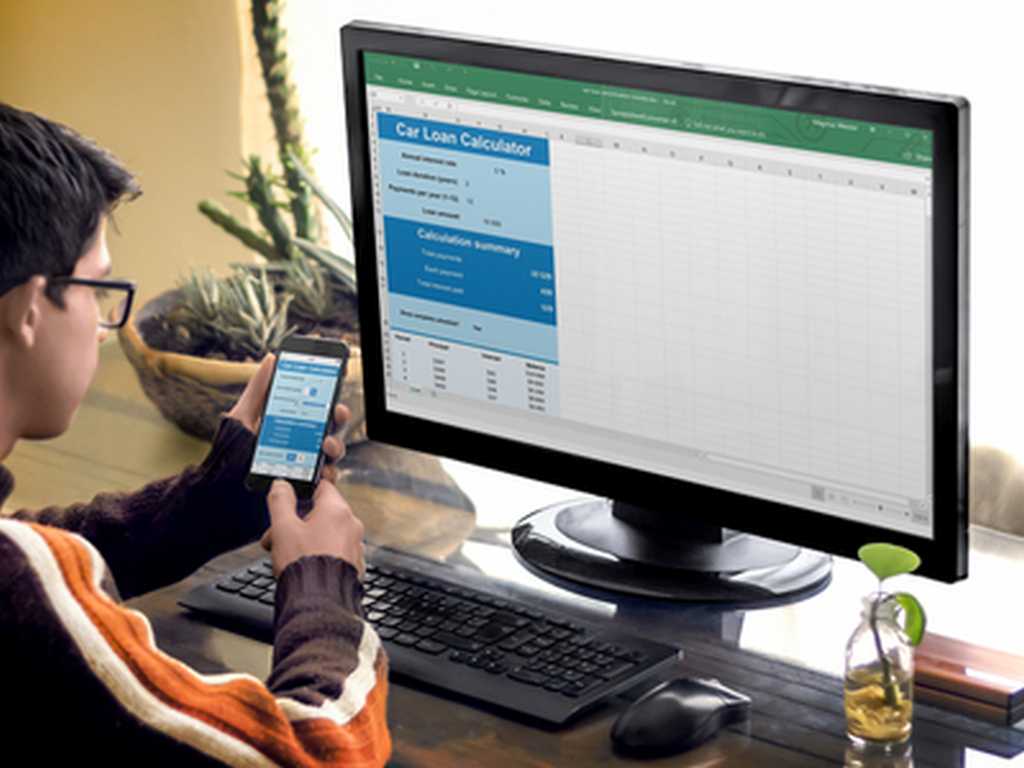
We guarantee the best support. During the trial period we will do our best to help you succeed, and six months of e-mail support is included in the price for all products. We promise answers by the next business day, but within the hour is our goal.
SpreadsheetConverter is a mature product that has been for sale since 2002. We constantly add new features to the product. Updates are free within the same major version, so if you buy any version 10 product, all 10.x updates are free.
We are pretty well staffed when it comes to support. Some of our best programmers like to be on call now and then. Most weekdays support will follow the sun from our Asian help desk via Europe to our support center for the Americas in West Virginia, USA. Usually you get to talk directly to the developers, or one of our web designers.
Some errors are really hard to recreate, and then it becomes very difficult for us to see what’s causing your problem. In many cases we may have to ask for a copy of your spreadsheet.
If we release a new major version within six months from your purchase, the upgrade to the new version will not cost you anything. That’s the kind of really nice guys we are.
I have found your product to be simply marvelous, and the support excellent. Many thanks.
Great Support Level, thank you very much!
Although we ran into some problems at first due to the complexity of the workbook, Mattias in customer support went above and beyond to help solve the problems.
Thank you! i appreciate your response. It's a pleasure working with your program.
Because of your fast answers and help, we want to leave an advertissement for Spreadsheet on our website!
Aha! I saw that, I can import that into EXCEL. You think of everything ;>)
Your support team is the best. Excellent products and good support makes life easier for us novices.
I just wanted to drop you a line and say that I am delighted with the way you respond so quickly to support questions!
Bingo! That did the trick. I love this product and appreciate your help in resolving my problem. Sorry for my lack of computer knowledge. Satisfied customeer, will recommend it to friends.
Thank you for the prompt replies - excellent support, very refreshing.
I got lots of pre-sales help from Anna Winter, and the support I got made the purchasing decision dead easy - you are a great company to deal with. Many thanks again.
O my goodness this is awesome!!! Perfect that is exactly what I needed!! Thank you all so much for all of your help!!!!
Thank you for being so responsive. The speadsheet works great!
I just purchased the product. Thank you very much for the support. This product is going to be a life saver for me.
I really like SpreadsheetConverter and your VERY quick response so ordered full license today.
Thx! U rock!
Your tech support has to be one of the top 3 in the world. Thank you again for creating this wonderful program and for the support and quick answers to my problems.
I am absolutely amazed at the speed of your response. Thank you very much. Your product is outstanding and your support is equal to the product.
The support your company provides is fantastic.
And did I mention your customer support? You have responded to my questions promptly.
You guys ROCK! I checked the formulas several time and didn't catch that! I'm very impressed with your talent and fast response and service. Thank you!
Thanks for all the great information; it is obvious you wish to assist others in having successful Web products, and your expertise is much appreciated.
WOW, You're good. Thanks for the quick reply.
SpreadsheetConverter is an add-in for Microsoft Excel in Windows. It appears as an extra menu in Excel. Excel and SpreadsheetConverter are only used when you create the spreadsheet and convert it to web format. We charge a small one-time license fee for each computer on which you install the add-in to perform such conversions.
Here is the complete price list:
| Edition | ||
|---|---|---|
| Standard | Professional | |
| License to generate HTML pages | $254 | $494 |
| License to generate pages for iPhone/Android | $334 | $654 |
| License to generate pages for Node.js | $374 | $714 |
| Cost per month | $0 | $0 |
| Cost per page | $0 | $0 |
| Cost per server | $0 | $0 |
| Cost per visitor | $0 | $0 |
| * VAT or the equivalent sales tax in your country will be added to the prices above if applicable. | ||

Using SpreadsheetConverter to publish a single calculator on the web pays for the whole investment, compared to coding the same interactive web page by hand.
SpreadsheetConverter is easy to use. You will be creating your first web form within minutes. No time-consuming training is necessary.
There is no risk, you’re safely protected by our 30-day money-back guarantee. If you are not satisfied with your purchase, just send us an e-mail, and we will cancel your purchase and refund the money.
The calculations and data behind our Covid-19 risk assessment model are quite complex and without the Spreadsheet Converter we would have not been able to post the tool online in a reasonable time frame.
SpreadsheetConverter has allowed our business to give a real boost to our customers. Their tools are easy to use, work very well, and are very powerful.
Your conversion software not only has increased efficiency in my small company but may also be assisting me in another small startup.
You are so good man, thanks a lot and my confidance in your company has increased more.
This company is really a class act! We will definitely be using SpreadsheetConverter for future web apps.
Your amazing service and support prior to our purchasing the product makes a positive difference!
You really kept me going with my project. I am very grateful.
I recently purchased your software and would like to tell you that it is incredibly useful for me.
I am very impressed with not only the software so far, but the clarity of the User's Guide and all the follow-up up help, such as this email. Very refreshing to see a company make the buyer feel welcome!
I think you may not be charging enough for it (I can say that now since I already paid for it).
Thanks for developing such high-quality products and for selling them at a price that the small business community can afford.
I am so glad I found you guys and am also glad I bought your program. I will soon be upgrading the product to the next level.
SpreadsheetConverter solved my problem in a few easy steps.
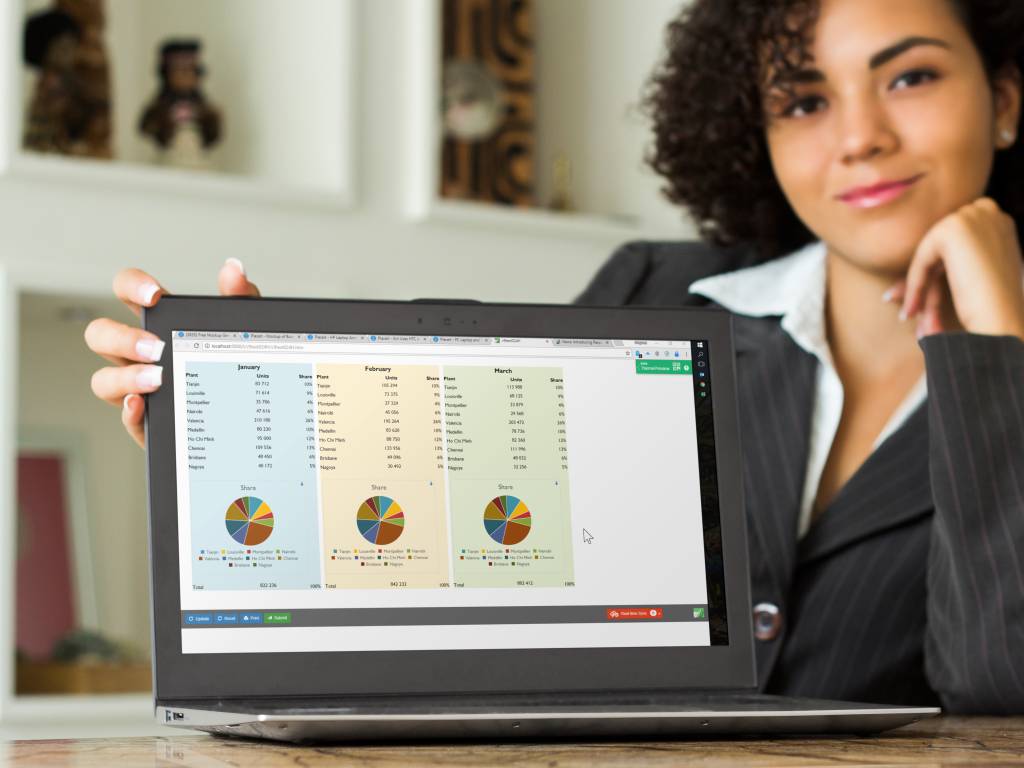
We’ll gladly convert one of your own spreadsheets for you. It’s so simple to do, we won’t even charge you anything for it. It won’t take us much time anyway.
If you like the result, we hope you’ll want to install the program and take it for a test drive in your own laptop.

SpreadsheetConverter is an add-in for Microsoft Excel in Windows. It appears as an extra menu in Excel.
Download the trial version of the add-in and try it for free for 30 days. At that point, you still enjoy a 30-day full no-questions-asked refund, so in total, you can test the software for up to 60 days!
The program does not collect personal data and there are no advertisements. If SpreadsheetConverter doesn’t solve your problem, it is easy to remove completely.
A built-in web server lets you preview converted web pages before uploading them. To use this feature you must allow the installer to add an exclusion to the Windows firewall. No other system or browser settings are changed.
Before you try converting one of your own spreadsheets we recommend that you follow one of our simple tutorials and convert an example file.

SpreadsheetConverter is an add-in for Microsoft Excel in Windows. If you have a reasonably current version of Excel running in a Windows PC, you’re probably good to go.
For an overview of the various flavors of SpreadsheetConverter and their exact technical requirements, please study the product comparison chart.
Converting spreadsheets to web format makes it very easy to import them into your blog or website. Here are tutorials on how to do this in various popular environments:



Click on Download to install and test this Excel add-in for Windows.
Click on Upload to let us convert a spreadsheet for you for free.
