Most users find it very easy to download the SpreadsheetConverter add-on and install it in their Microsoft Excel environment. This page contains an overview of the rare problems that may appear, affecting only a minority of users.
Whatever problems you have with SpreadsheetConverter, we will help you solve. Just describe your problem to our Help Desk and they will guide you through the process.
If you would like to try solving the problem on your own, read on for instructions.

Your browser may warn you that the type of file you are attempting to download may harm your computer. This is just a standard security notice that appears when downloading files of this type. Click OK to approve the download.
If your download doesn’t start correctly when you click on the download link, try the following:
There are many “Internet Security” products for safe browsing by companies such as Symantec/Norton, Kaspersky, McAfee, Trend Micro and Bitdefender. Some of these products may issue a warning that they cannot guarantee that SpreadsheetConverter is a safe download. There are no known security vulnerabilities in SpreadsheetConverter. All our files and computers are scanned for malware at all stages of production using the latest versions of industry-standard Internet security software which is updated automatically. All files available from our Download page are free of known malware. You can safely download the program.
If your Internet Security software incorrectly is flagging our download as potentially malicious, you may need to disable the antivirus program during download and installation of SpreadsheetConverter. Read more about known conflicts with Internet Security products.
Some corporate networks have “firewalls” that prevent you from downloading software. This usually affects all downloads regardless of the source.You may have to retry the download from your home network.
We sometimes get false warnings for two specific programs, e2o2.exe and ViewManager.exe. If your Internet Security software is incorrectly flagging these programs as malicious, you may need to disable the antivirus program during the installation of SpreadsheetConverter. Read more about known conflicts with Internet Security products.
Depending on your companies corporate policies, you may not be allowed to install programs freely. In this case you will probably get an error message during the installation, or you will have some of the symptoms described under Startup and conversion problems below.
SpreadsheetConverter needs Microsoft’s .Net 4.0.
The best way is to use Windows Update to get it:
http://support.microsoft.com/kb/306525
If you want a minimum download, you can try this
If you get messages saying that the installer verification failed during installation, your installation file may be incomplete. Try downloading the file again.
We sometimes get false warnings for two specific programs, e2o2.exe and ViewManager.exe. If your Internet Security software is incorrectly flagging these program as malicious, you may need to disable the antivirus program whenever you use SpreadsheetConverter. Read more about known conflicts with Internet Security products.
SpreadsheetConverter is an add-in to Excel and should always appear on the Excel menu after installation.

If you have installed SpreadsheetConverter, but this menu does not appear in Excel, we would like you to do the following before you contact our Help desk.
In Excel, go to File > Options > Add-ins (the location may be different in your version of Excel) and look under Active Application Add-ins. This is what it should look like (notice the details that appear at the bottom of the windows when you click on the add-in in the list).
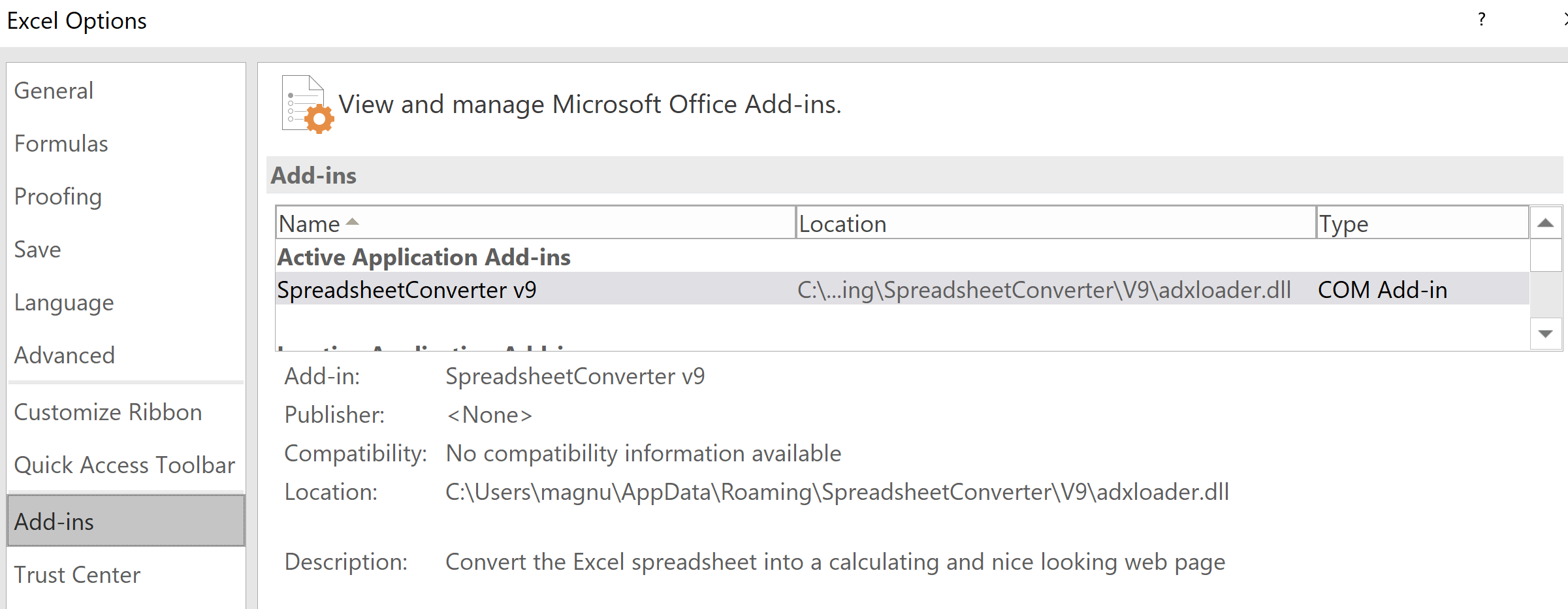
If you need help, never hesitate to contact our Help desk. Please enclose all relevant screenshots when you submit an error report.
SpreadsheetConverter comes with a simple example spreadsheet that helps you verify that everything works as expected. Please use the Try Examples link in the ribbon to open the Weekly Time Card example that was installed with SpreadsheetConverter:
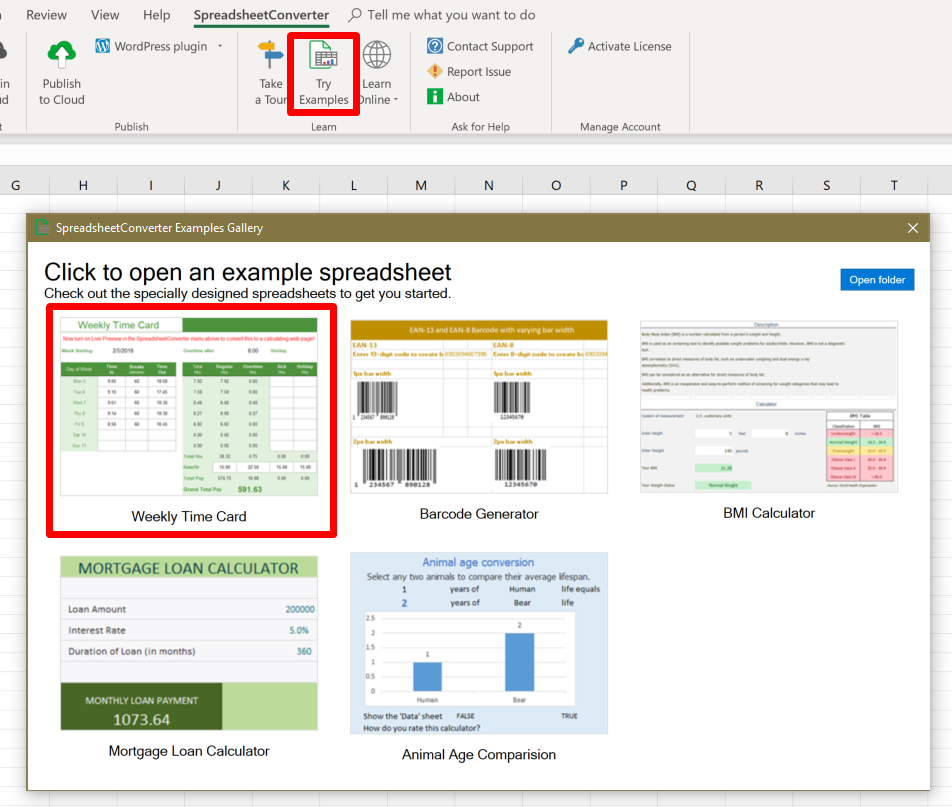
The example spreadsheet does the following:
If any of these steps fail, please uninstall the program from Settings > Apps and install it again.
If you are still unable to open and convert the example spreadsheet, please contact our Help Desk.
If you have problems using SpreadsheetConverter after installation, you may be using high macro security with Excel. In this case, use Excel’s Tools menu to navigate to Tools> Macro> Security and set the macro security to Medium. You may also have to explicitly “trust” all Excel macros from Framtidsforum.
Some problems may be caused by an incomplete installation or removal of SpreadsheetConverter. Here are the things you should do to ensure that the add-in is completely removed from your system. If you aren’t authorized or don’t feel qualified to perform one or more of these operations, please contact your local IT support organization.



Click on Download to install and test this Excel add-in for Windows.
Click on Upload to let us convert a spreadsheet for you for free.
