After you’ve purchased license keys, you must register them in the application. For upgrades, you must register both the new license keys and the old keys that entitled you to the upgrade.
License keys for SpreadsheetConverter are purchased online in our license shop. After a completed purchase, you will have one or more license keys, character strings that begin with a three-character product code and seven four-character license key segments. Example:
H1S-0bPD-WWaA-w5Ua-FHfZ-InMe-F000-4UsC
All your license keys must be registered in the SpreadsheetConverter application to unlock the corresponding functionality. If you haven’t already installed the version of the application that you have purchased license keys for, download and install SpreadsheetConverter now, before you register your license keys.
Then start Excel, select the SpreadsheetConverter ribbon and click Activate License in the Manage Account group.
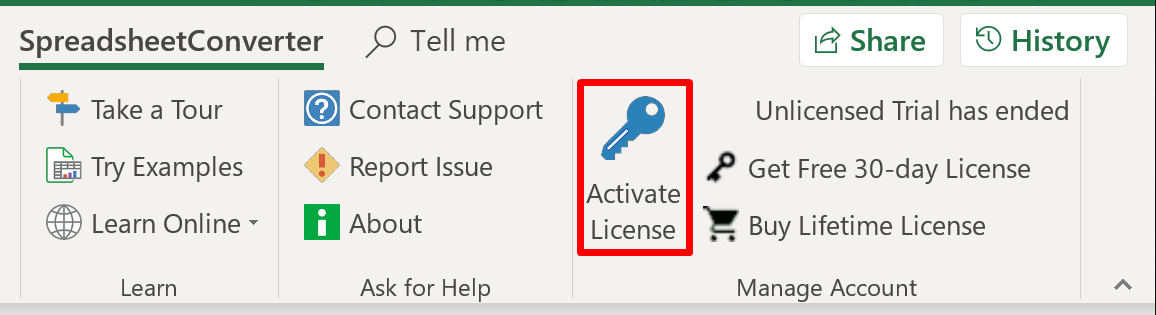
The Product activation window allows you to register all the license keys you need to unlock all the functionality you’ve paid for in the application. Together with each license key, you must register the e-mail address you specified when you purchased the license key.
For upgrades, new license keys won’t work without the old license keys that entitled you to each upgrade. SpreadsheetConverter needs to confirm that you have not only the upgrade license, but also the original license that it is upgrading.
For example, if you are upgrading from version 9 to version 10, the new key requires that you enter the old version 9 license key as well, to validate the upgrade.
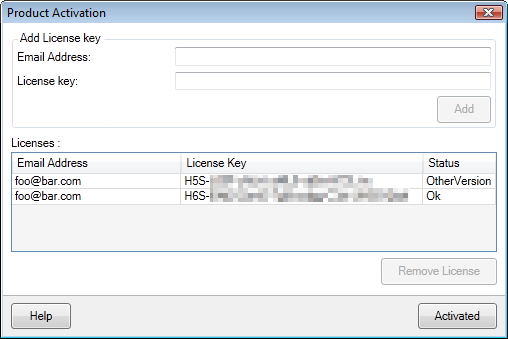
Similarly, if you’ve purchased an edition upgrade from Standard to Professional edition, you must enter both your old Standard edition key and your new Professional edition key.
If you have lost an old license key, or if you have any other problems or questions, don’t hesitate to contact our Help Center. We are here to help.
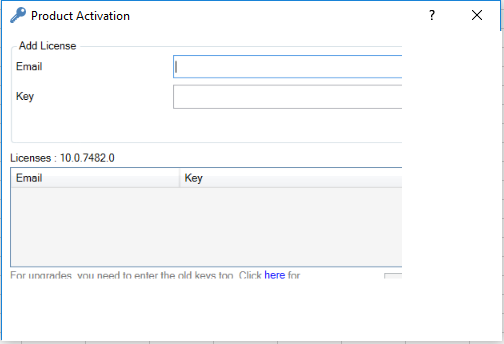
If you get a window that appears truncated like in the example below, with some parts missing or incomplete, you have a known problem with your Windows system.