Our basic product converts Excel spreadsheets to HTML with embedded JavaScript that can be used with any web server. The smartphone version converts Excel for iPhone and Android.
SpreadsheetConverter creates web pages that mimic the behavior of Excel spreadsheets. Depending on the requirements, the calculation of the formulas in the spreadsheet can be performed either in the web browser or on a web server. The converted web page itself looks exactly the same regardless of what flavor of SpreadsheetConverter you used to create it.

If the spreadsheet formulas are calculated in the web browser, the whole spreadsheet can be placed very neatly in one single package sent to the browser.
SpreadsheetConverter HTML converts an Excel spreadsheet into an HTML web page that uses embedded JavaScript code to calculate the formulas. You don’t need any programming or web design skills to use SpreadsheetConverter HTML. The result of the conversion is a portable web calculator or smart form that works on all devices and fluidly adapts to the screen size of any smartphone, tablet or laptop.
Read more about the HTML flavor.
Decide if you need the Standard or Professional edition.
Download and test SpreadsheetConverter for free for 30 days.
Explore prices and buying options.
SpreadsheetConverter iPhone/Android is a specialized app-builder that converts an Excel spreadsheet for iPhone and Android smartphones. Mobile calculators can be used also when the smartphone is offline, and your electronic forms are automatically stored until the phone is online again.
Read more about the iPhone/Android flavor.
Decide if you need the Standard or Professional edition.
Download and test SpreadsheetConverter for free for 30 days.
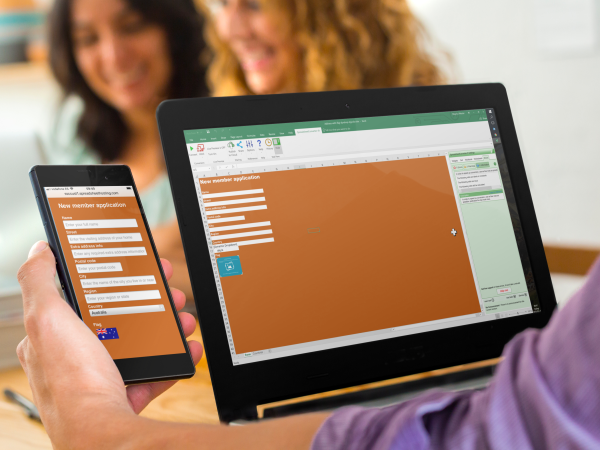
This developer is using Excel to create a membership application form, and previewing the form on a Sony Xperia smartphone.
You only need basic Excel skills to develop powerful web forms.
Connect the form to our forms processing options – receive each form by e-mail, or saved in a database hosted by us for later retrieval. No programming or IT skills needed.
If the formulas are calculated on the web server, the web page consists of two or more separate parts, a standard web page that is downloaded to the browser and one or more packages of programming code that reside on the server.
Decide if you need the Standard or Professional edition.
Download and test SpreadsheetConverter for free for 30 days.

Many spreadsheets contain business-critical information. In the wrong hands, the same information can be used to create extensive damage to your business.
In our server-based flavors like Node.js, the formulas are executed directly on the web server, which makes them inaccessible to intruders. You can calculate your markups, interests or salary increases knowing that no-one can access the formulas or their values on the server.
Still concerned about the difference between client-based and server-based calculations? Just interested in the technical details? No problem.
Read the technical details about client-based and server-based calculation here.
